UPDATED and now Conerstone NOT WORKING :(

I recently did the update and Corner stone is not loading at all, I just keep getting the spinning wheel.

I disabled all plugins and still not working.

I have another wordpress site with just the basic xtheme on it so I updated it and its also not working.

I am running php 5.6

i’m not sure why

Hi there,

If you have updated Cornerstone to the latest version, please make sure that you also update X to the latest version as having one of them updated while the other is not will cause an incompatibility issue.

Please also try clearing your site’s cache and the browser cache.

Hope this helps.

its a pro theme

I tried cloning the site to another server and the clone is loading the cornerstone.
I tried cloning the site to the same server on another domain and the cornerstone is having the issues.

I tried contacting the server with the issues they told me to talk to the developer of the theme

The site that is not working is http://www.hrworkplaceinvestigations.ca server dot5hosting

the clone that is working http://www.3d-glasses.ca/ server whc.ca

any help would be appreciated.

Hi @snapmediadesign

I’ve checked both sites along with another fresh copy I installed on my localhost, here you are my result:

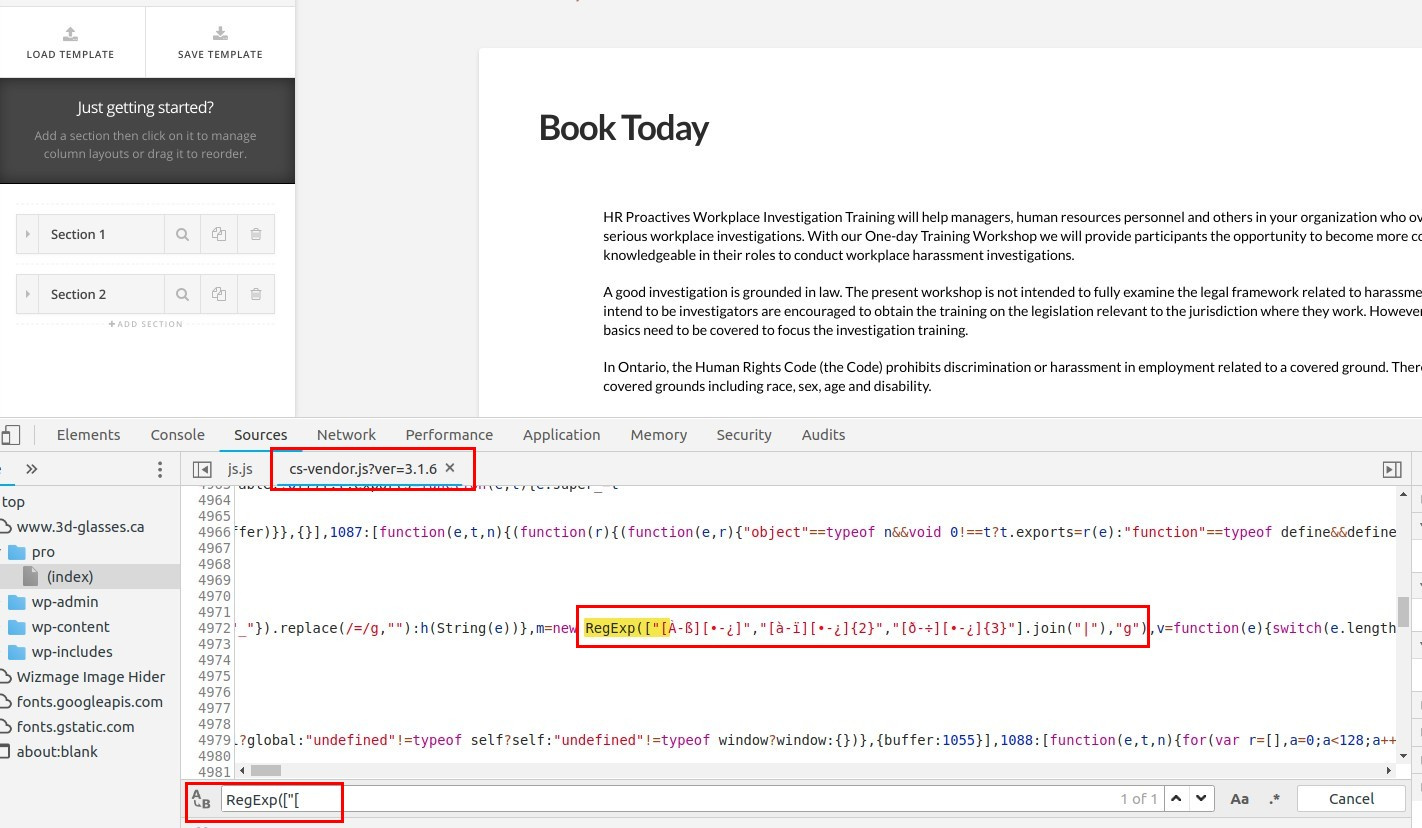
  • This is how this line RegExp(["[ in this file /pro/cornerstone/assets/dist-app/js/cs-vendor.js looks like on your working site:
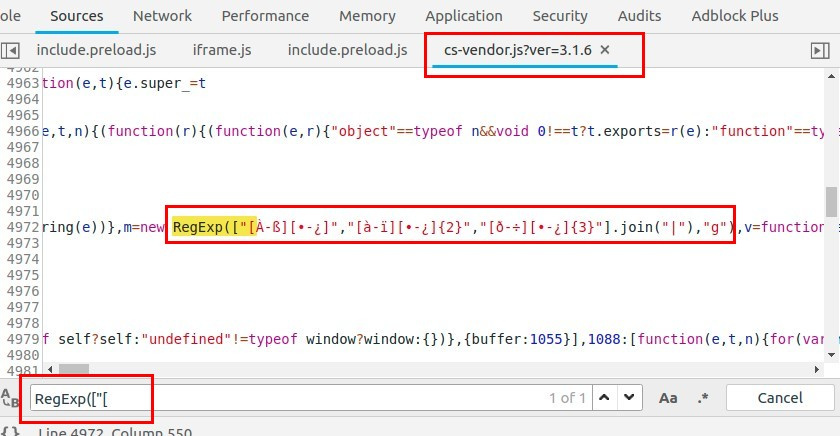
  • This is how the same line in the same file looks on my localhost “working fine by the way”:
  • Now, this is how it looks like on the non working version on that other server:
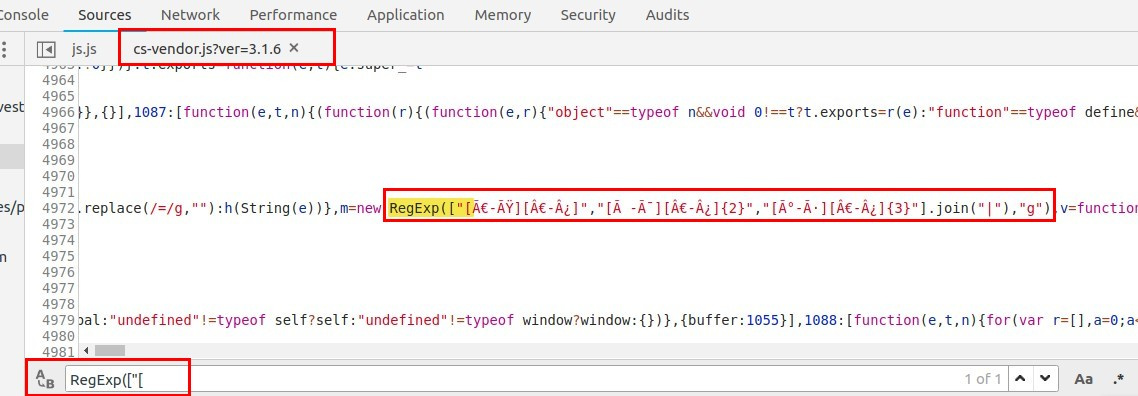
and the browser is showing error on that exact line in the browser console preventing the builder from loading:

So, it’s either the file is broken, in this case try to delete the theme files and re-upload them again via FTP.

Or your web host is loading this file in such a way that makes it looks different (different encoding maybe?), in this case you need to reach out to them with all this information.

Thanks.
I really apperciate your help. I forwarded all this information to the server and they notified me that its the php version issue. I upgraded the php to 7 and everything is working. Thank you for your help.

Hi @snapmediadesign,

Happy to hear that.

Feel free to ask us again.

Thanks.

This topic was automatically closed 10 days after the last reply. New replies are no longer allowed.