
Posts using the template “Blank - No Container for Posts” are displaying an unwanted “bar” above the header. This is not occurring on other sites with the same template. Any suggestions?
Hello @technologymedia,
Thanks for writing to us.
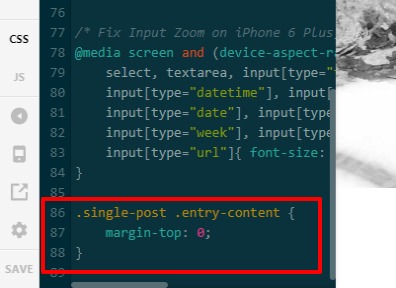
I checked your site. it seems that there is some extra margin-top style rendering on the blog post details page, to get rid f this you need to add this custom CSS code under Pro-->Theme Option -->CSS

.single-post .entry-content {
margin-top: 0;
}
The purpose of providing the custom CSS to show you how to add CSS code to your site. Writing custom CSS is outside the scope of our theme support. If you need more customization, you need to learn CSS and learn how to use the browser’s element inspector.
Hope it helps you.
Thanks
Thank you @prakash_s, I appreciate you looking into this. Unfortunately that didn’t do the trick. It’s interesting that it’s almost as if a bar is on top of other elements. I say this because the header elements are not shifted down as compared to other page types. Any other suggestions?
Hello @technologymedia
I checked your site dashboard it seems that you have not added the code in the Theme Option -->CSS that I provided you. I have added the code in the CSS
After CSS code added frontend screenshot

I would also recommend you to clear your browser cache and then check it again at your end. If the issue still persists please let us know.
Hope it helps
Thanks
@prakash_s, you are a wizard! That did the trick. Thank you very much for your prompt attention and thorough instructions.
This topic was automatically closed 10 days after the last reply. New replies are no longer allowed.