Understanding image sizes

Please could you help me understand image sizing in the media library. I’m using the Pro/Renew Theme, and Modern Events Calendar and Slider Revolution plugins.

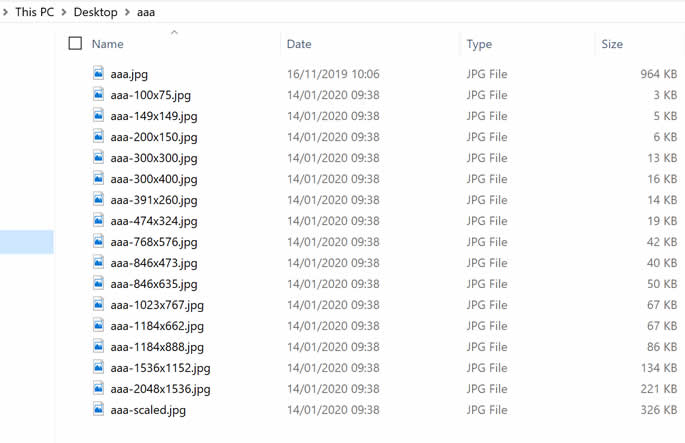
If I upload an image I get a further 16 images at various sizes/crops (see attached). I understand the 3 sizes controlled in ‘settings>media’. But where are all the other sizes controlled? I’d like to slim down from 16 images.

John
Hi John,

Other size can be from plugins you were using. To check where actually it is coming from, please check this reference from wordpress.

On your staging child theme’s functions.php , try to add this code:
var_dump( get_intermediate_image_sizes() );
It will list all available size. The names will give you idea on where it is coming from.

The theme only added 4 size. You can see this thread as reference. The other 3 is default wordpress size, you can see it on Admin > Settings Media. If you don’t want to use it, set those to zero. Other than that, it is coming from plugins.

Thanks, I understand better now

We are delighted to assist you with this.

Cheers!

This topic was automatically closed 10 days after the last reply. New replies are no longer allowed.