Unable to remove line spacing in Classic Text

Hello -

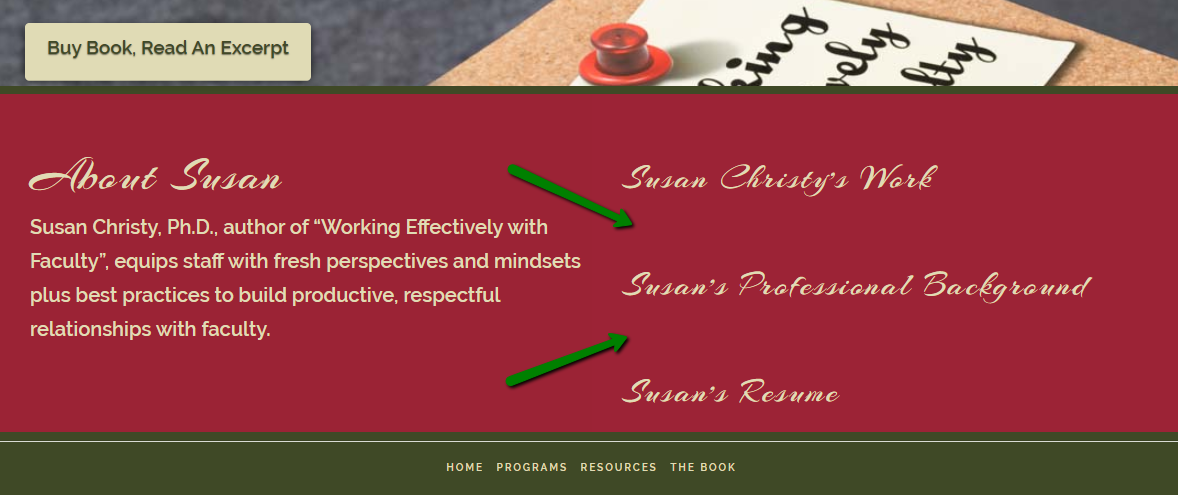
I am unable to remove line spaces between text in a Classic Text element.
I have checked the top and bottom padding and they are set to 0.

The page in question is the Home Page at https://workingwithfaculty.com/
You can see in the image the spaces I am trying to close.

I checked the options to see if any css was toying with it.

I appreciate your help in advance. Thank you!
Hello Susan,

Thanks for writing in!

Please inspect the Classic text element and under Class add a class name.

After that add following CSS under X > Theme Options > CSS:

.add-class-name-here h4 {
    margin-top: 10px;
}

.add-class-name-here h4:first-child{margin-top: 60px;}

Please replace class name add-class-name-here as per your requirement.

Thanks.

Sir,
That appears to have done the trick!
I don’t think I would have figured that one out without you.
Whenever I get a response that involves fixing difficult proble with a global css entry, is that because there was a fix created for this issue sometime in the past?
Thank you SO much!
Susan

Hi Susan,

By default, headline element like h1,h2,h3,h4,h5 have margins set on the theme. When you use a headline element, there’s an option to reset those margins. On your case, we have to do that because you have added the headline inside a text element.

It doesn’t work because, text element has container. Those paddings are set on the container not on headline. Also, the space is coming from margin and not on padding.

This topic was automatically closed 10 days after the last reply. New replies are no longer allowed.