SITE INFO:
- acuity-link.net
- WordPress 4.9 running X – Child Theme
- Installed Version of X: 5.1.1
PROBLEM:
- I moved my site from a dev site to a live site that already exists.
- I used the “All in One WP Migration” plugin to move the site.
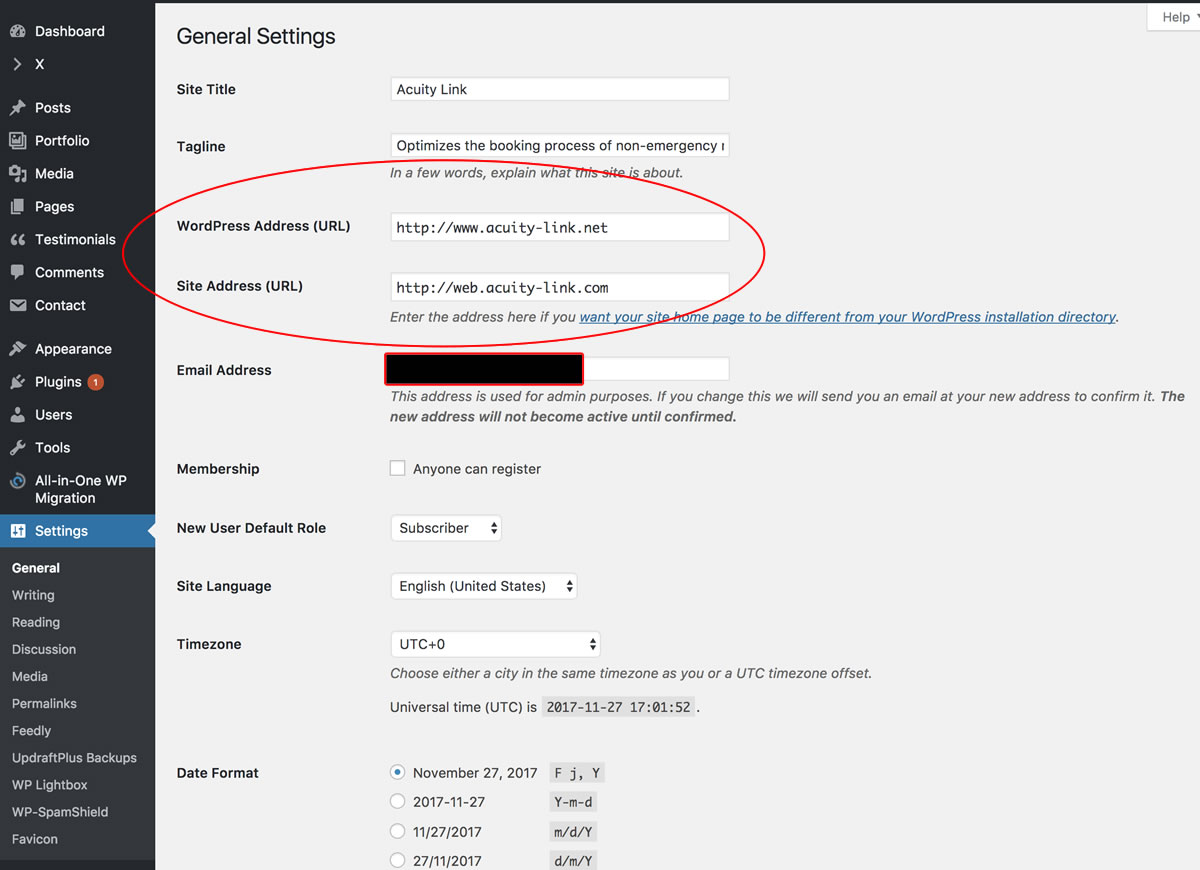
- The WordPress Address URL is www.acuity-link.net
- The Site Address URL is web.acuity-link.com
- See attached screenshot of settings.
QUESTION:
How come when I try to edit a page in Cornerstone, it has a login popup and I can’t edit my pages?
NOTE:
If I set the Site Address URL back to www.acuity-link.net I can edit pages without problems, but I need the Site Address URL to be web.acuity-link.com