UberMenu issues with mobile/tablet

Hi,

On my site - http://staging.dwanedigital.co.uk i’m trying to create a menu similar to -

I am using ubermenu at the moment and have gotten close however I have a few issues.

When I click the hamburger icon the menu doesn’t expand from the navbar and has a cut over with the navbar. I added some margin which got it close but I’m sure something is causing this and I don’t just want to work around it.

I also want the menu opened to be full-width. I tried adding CSS to make it 100% width but that didn’t make any difference so I removed it.
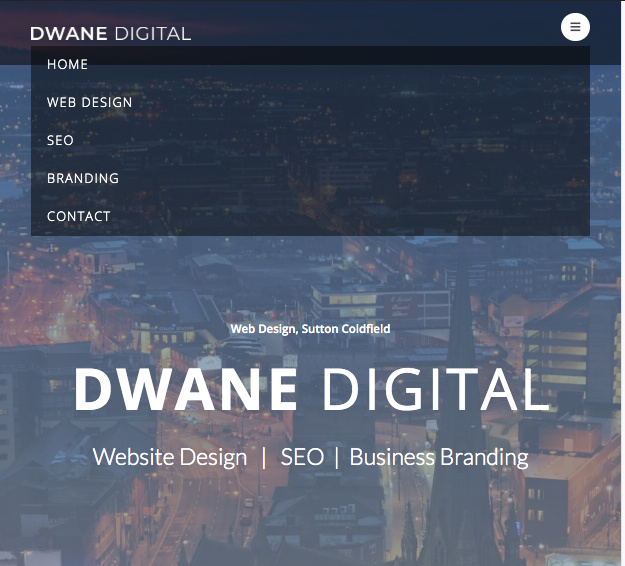
I also want it to animate downwards upon expansion but not sure how that would be done with ubermenu as it seems quite clunky for that?

Also the hamburger icon isn’t sitting centrally within the navbar and vertical-align CSS doesn’t work.

Any help on these would be great thanks
Hey Ryan,

This is because the X Theme header’s contents are contained to align with the content. That container width is set in X > Theme Options > Layout and Design > Site Width. It’s not recommended to set it to 100% to though as there would be no space on the sides of your logo, navigation and content.

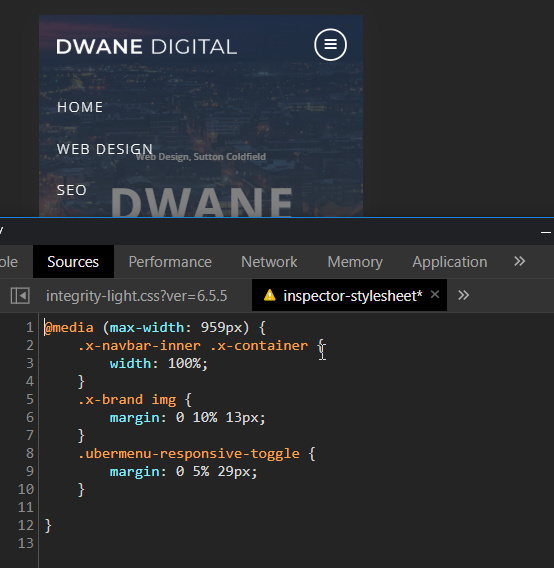
Replicating that setup in your example would regretfully need custom CSS development which is outside the scope of our product support. I’ll help you get started though by showing you a sample code containing the CSS selectors that you’d need. Below is the CSS code you can try pasting in Theme Options > CSS.

@media (max-width: 959px) {
    .x-navbar-inner .x-container {
        width: 100%;
    }
    .x-brand img {
        margin: 0 10% 13px;
    }
    .ubermenu-responsive-toggle {
        margin: 0 5% 29px;
    }

}

That would result to this:

Please note that custom development is outside the scope of our support. If that will not work in your site or would need further customization, you would need to hire a third-party developer to do the custom coding for you.

Hope that helps.

Hi Christian,

Thanks for the above help. After speaking to some other people they recommended for me to update to Pro and to give the Header creator a try. So I will be trying that however the installation went wrong somehow and I don’t know why, if you’re active please can you check - https://theme.co/apex/forum/t/updated-from-x-to-pro-whole-site-500-error/64844

Thanks

Hello Ryan,

The update issue seems to have been resolved now.
If you need anything else we can help you with, don’t hesitate to open another thread.

Cheers.

This topic was automatically closed 10 days after the last reply. New replies are no longer allowed.