hello
I have old existing site (old X) and creating on staging in PRO…
but for whatever reason, I can’t get the ubermenu to be the same 
can you help?
hello
I have old existing site (old X) and creating on staging in PRO…
but for whatever reason, I can’t get the ubermenu to be the same
can you help?
so 2 things:
Hi there,
Thanks for writing in! I tried checking your sites but the links you shared can’t be reached, Your server could be down at the moment or there could be a security plugin restricting the site access. Can you please disable security plugin if you’re using so we can take a look at your site?
Thanks!
what is your IP?
uhm… you can’t access the site at all…
guessing its my firewall (not plugin)…
i will add you to my firewall whitelist…
send in secure message 
update? Can you provide your IP?
thanks
Hi,
I can access your site now.
Please refer to the links below

Try to clear your browser cache and check again.
Thanks
thanks, but the Submenu Position, as in that link… does not exist on Stage site.
it looks like the version is different on those document links.
PS. item #2 is working… looks like it was a cache issue
Hi Larry,
Yes, while it is possible that this is a cache issue, can you confirm that your UberMenu has the same configuration on live site and staging site?
Try using this plugin and clear all transient cache.
Let us know how it goes,
Cheers!
Hi,
I’m positive its a bug or setting issue that “went away” ?
BUT surely it is on the new one as well… BUT I can’t see it or find it
I gave access to staging up above…
can you try to find it?
PS. also another difference (that is odd)… the background opacity is not .5… as it is on the live.
Seems odd that EVERYTHING was imported EXCEPT those 2 items?
Hello There,
The difference is submenu setup. See difference below:

The live Submenu Type is flyout and staging Submenu type is set to Mega.
See the following documentation:
Go to Appearance > Menu. Once you hover on the main menu, click Ubermenu settings. Then on Submenu Tab, try to choose Flyout:
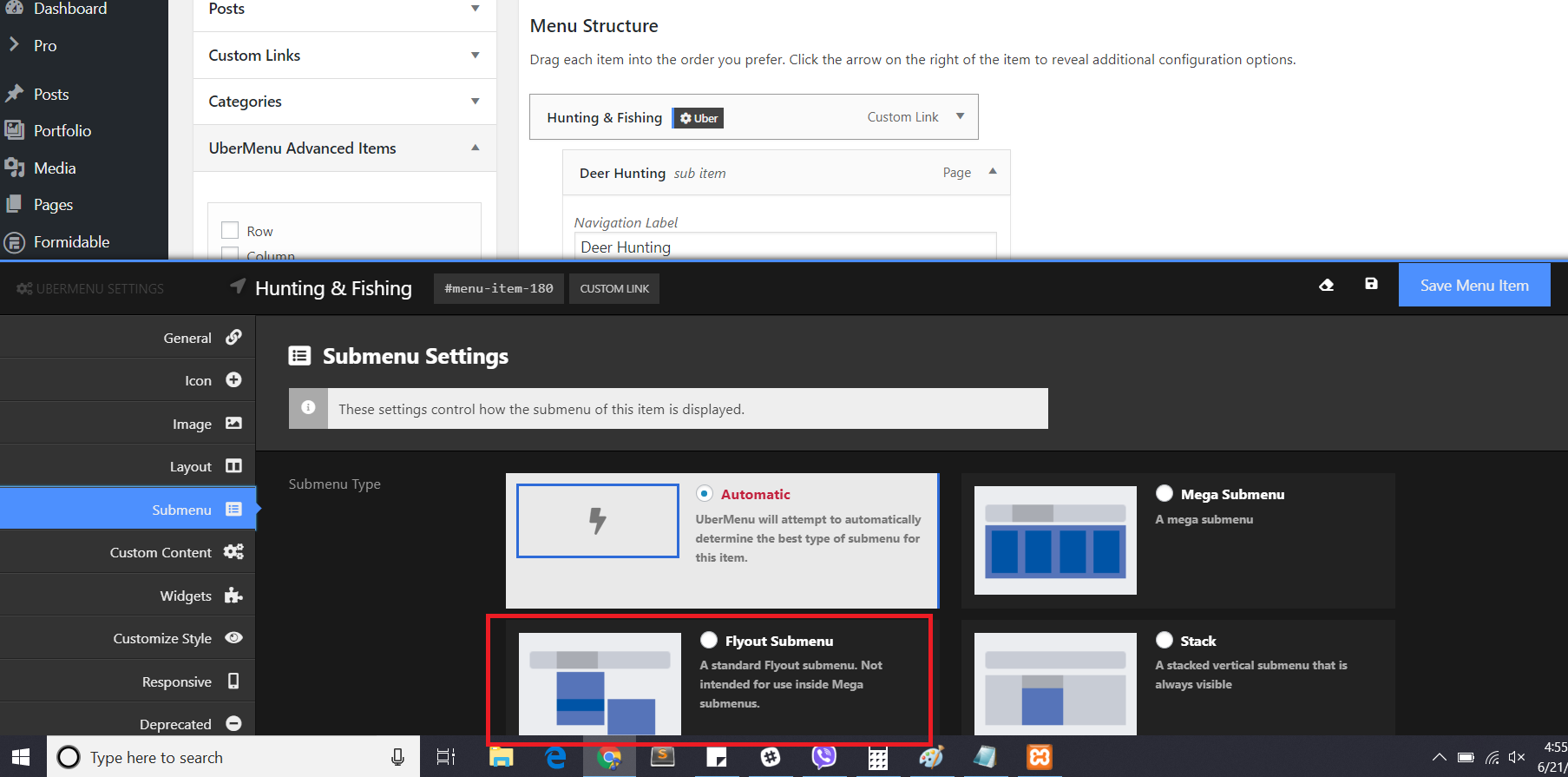
Let’s check opacity after changing those settings.
Do let us know how this goes.
THANKS!
never would have found that
it works now.
We are delighted to assist you with this.
Cheers!
This topic was automatically closed 10 days after the last reply. New replies are no longer allowed.