Ubermenu columns - 1/4 creates only 3 collumns

Hi,

I am stuck at Ubermenu configuration. I want to create 4 equally wide columns in megamenu but no matter how hard I try it only creates 3 columns with the fourth column displayed under the third.

The problem seems to be the width of the individual columns (280px) but I don’t know what to do about that. I tried many different configurations but the menu does not seem to react to any changes - I tried to force menu items to 6 or 5 columns, but the result is still the same every time.

Can you please help me to display 4 columns next to each other?

Hey @nezzazvoni,

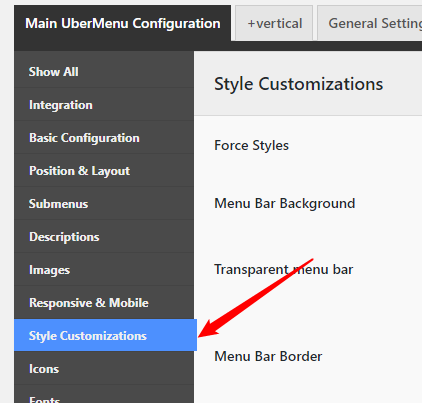
That 280px is coming from the Submenu Minimum Column Width. You can find that in the Appearance > UberMenu > Style Customizations. You can either empty the option or reduce the value.

image

If that doesn’t help, there could be something more causing the issue so you need to do the following troubleshooting procedures next.

  1. TESTING FOR THEME RELATED ISSUE
  2. TESTING FOR PLUGIN CONFLICT
  3. THEME UPDATE
  4. CHILD THEME
  5. CSS/JS CUSTOMIZATION
  6. VERSION COMPATIBILITY

Only if none of that helps, we need you to give us the following information in a Secure Note.

  • WordPess Login URL
  • Admin level username and password

Hope that helps.

That solved the problem like a charm! Thank you very much! :slight_smile:

Hey @nezzazvoni,

Glad to help you.

Thanks

This topic was automatically closed 10 days after the last reply. New replies are no longer allowed.