Hi.
I checked all the customized settings in X and Uber Menu.
Can’t figure out why all my tabs on the navbar on not on one row.
I have everything set to fullwidth.
please help
credentials to follow.
thanks
Jane
Hi.
I checked all the customized settings in X and Uber Menu.
Can’t figure out why all my tabs on the navbar on not on one row.
I have everything set to fullwidth.
please help
credentials to follow.
thanks
Jane
Hi there,
Thanks for writing in! Try adding the following code in the Theme Options > CSS:
.ubermenu .ubermenu-nav .ubermenu-column-1-8 {
    width: 12% !important;
}
Let us know how this goes!
it almost worked. All the tabs of the Navbar are on one line but the total of the tabs does not span the entire width of the navbar. See attachment.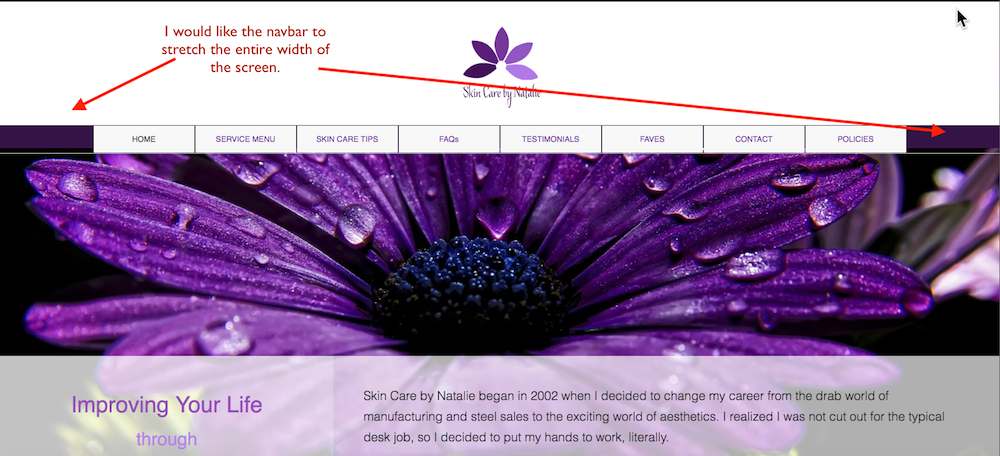
Hi @janequade
I suggest replacing the previous CSS code with this one:
.x-navbar-inner .x-container.max {
    max-width: 100%;
}
Then adjusting every menu item width from the menu item settings:
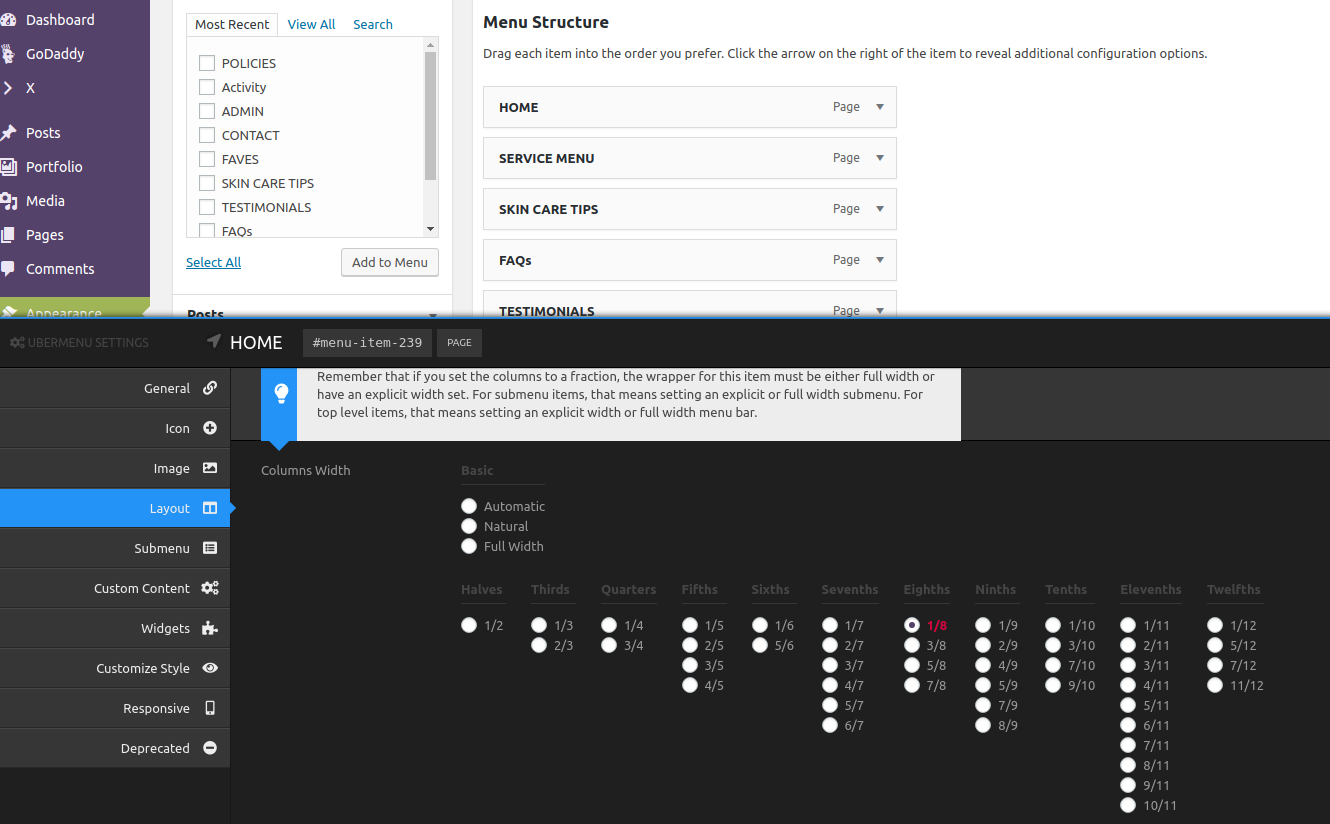
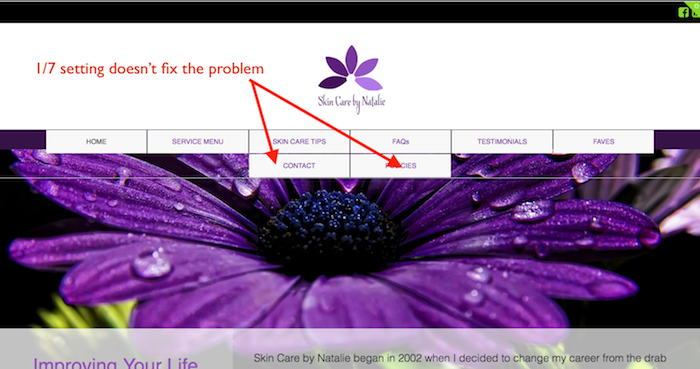
Currently, you have set it to 1/8, perhaps 1/7 might be better.
Thanks.
I made the suggested changes but it did not work.
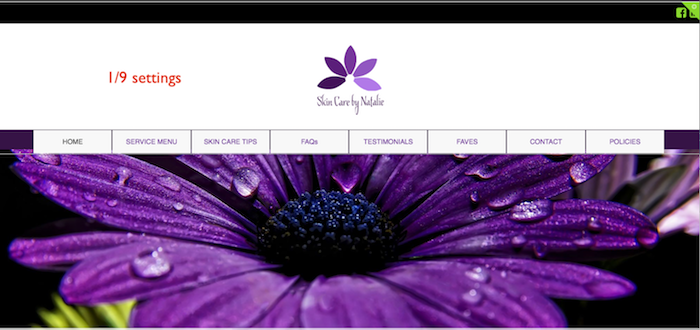
I also tried 1/9 setting to no avail.
Please see attachments.
Thanks
jane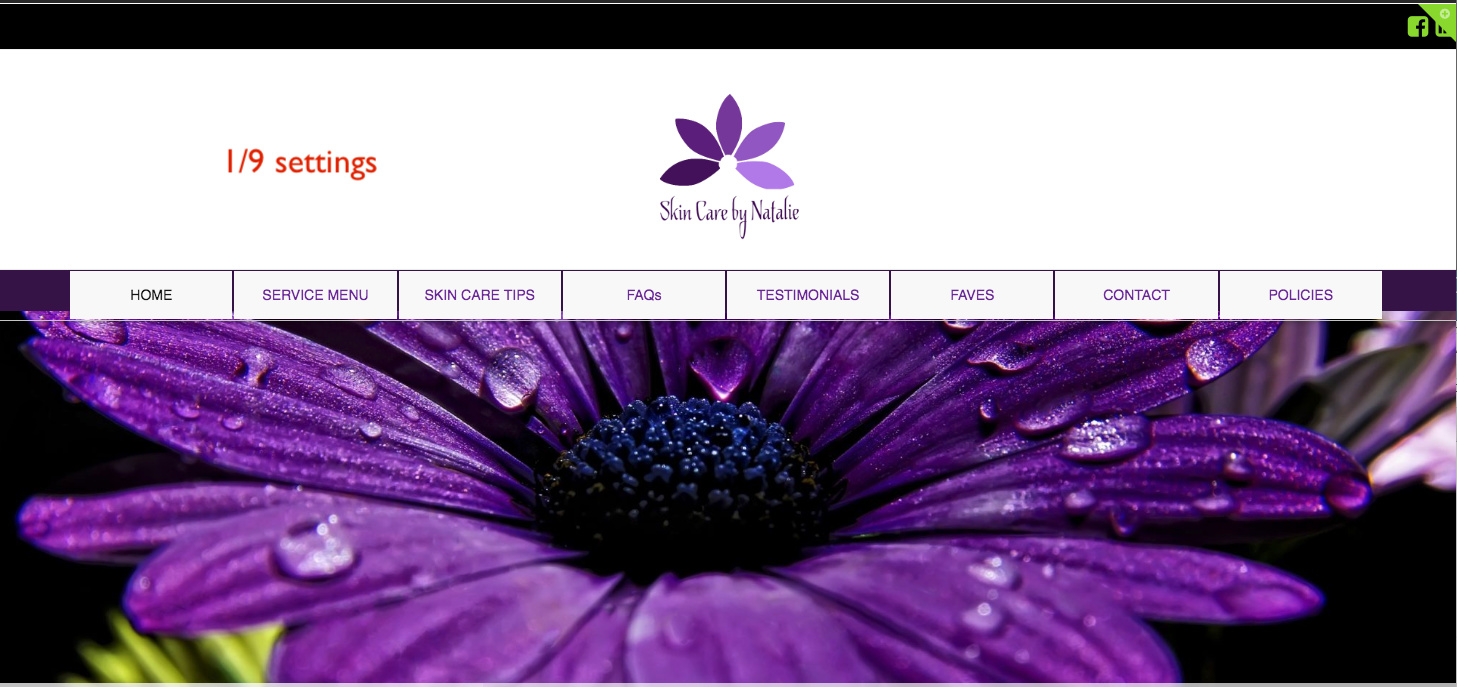
Hi There,
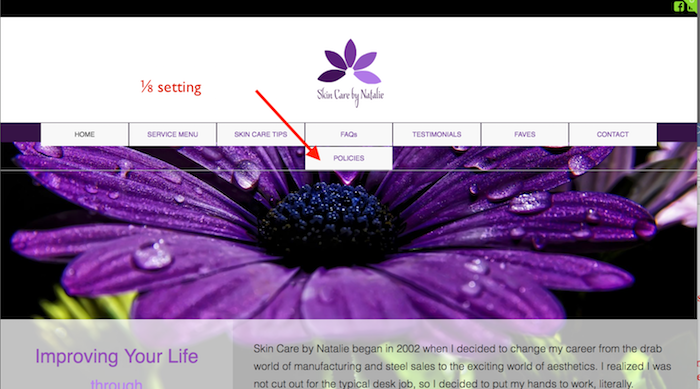
I’ve changed the column to 1/8 and also added this custom CSS:
@media (min-width: 980px){
    ul#ubermenu-nav-main-8-primary {
        display: flex;
    }
}
The menu items look good now.
Cheers!
This topic was automatically closed 10 days after the last reply. New replies are no longer allowed.