Uber Menu - Image is cropped to a cricle

Hi there - I added several items to our Uber menu. For one of those items the image keeps getting cropped as a circle rather than maintaining its square appearance.

To resolve this I deleted the menu item with the issue and re-added it yet the issue continues. I also rechecked all the settings. The only difference in the menu items is this particular menu item is a page rather than a Woocommerce product category.

So, why is that image getting cropped?

See this image PXL_20210130_155515754
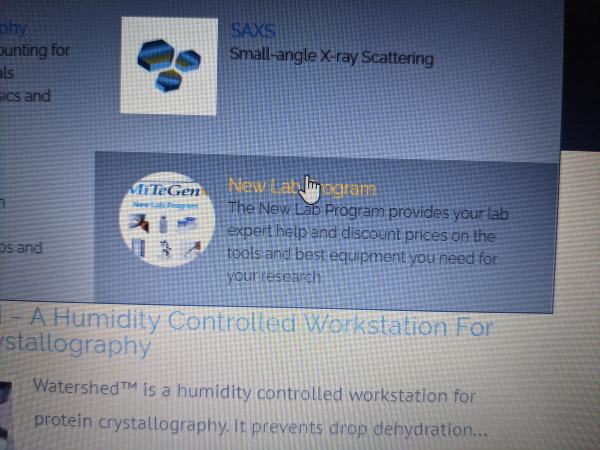
You can view our site here https://www.mitegen.com/

We are using X, version Version: 7.2.3
Cornerstone 4.2.3
Uber Version 3.7.1

Thanks
Tim

Hi Tim,

Thank you for reaching out to us. I checked your site and I see there is a custom CSS code which is making your uber menu images circular (see screenshot)

It seems like it’s been added in a style.css file, please find and remove the above code from there to fix the issue.

Let us know how this goes!

@nabeel Thanks, that explains it.

Tim

Hi Tim,

You’re welcome and it’s our pleasure to help you. If you have any other concerns regarding our theme features, feel free to reach us.

Thank you.

This topic was automatically closed 10 days after the last reply. New replies are no longer allowed.