Hi there,
I use a TypeKit Webfont, so I did install an activate the TypeKit Plugin. I can see the needed Webfont in the backends font list - so the connection with my kit seems to work.
Now I want to set the webfont as default font for all headings in the theme-options / typography. But in the font list, I can only see system-fonts and google-fonts, but not my typekit font.
What do I have to do to change the font for all headlines to my typekit webfont?
Best regards
Uli
Hi there,
Thanks for writing in.
You don’t need to install a TypeKit plugin, you can utilize the built-in TypeKit feature in X or Pro > Fonts and click the gear icon in the left vertical utility bar. And there, you’ll see the TypeKit section that you can configure.
Once configured, just go back to X or Pro > Fonts and add your font templates with your integrated TypeKit font. Then go to Typography setting and assign the Font template that you created.
Thanks!
Hi Rad,
thank you for your answer. I did already use both - the plugin AND the built-in TypeKit feature.
Under X > Fonts I can access the TypeKit Font and assign it i.e. for headline - that’s what already did.
But I don’t see the webfont in the typography settings - only lots of google and system fonts.
What exactly do you mean by “add your font templates”? At “X > Fonts” there’s no “Add Template” button or something like this. In case you mean the “+ Add New” button, I added an new item calld “MyWebfont” there and chose the webfont for it - but I still can’t find it at “Typography”.
In some new elements in cornerstone, I can select the elements with the new font, but that’s not what I’m looking for …
Uli
Hi There,
Thanks for writing in!
Can you please confirm if you have entered your Typekit ID and got all the fonts?
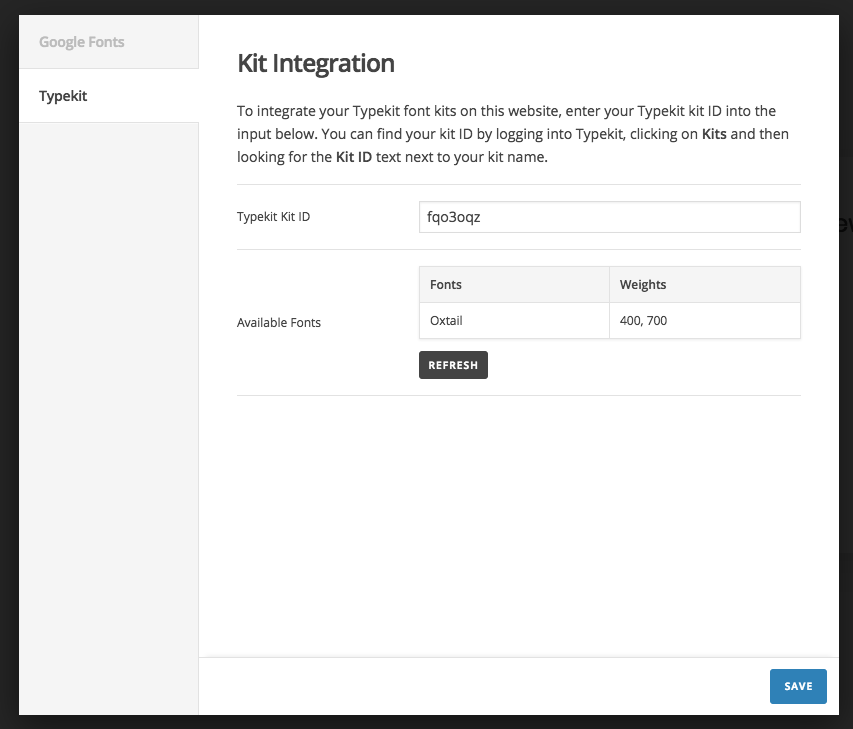
If yes please log in to your Typekit profile and add your website URL to validate there.
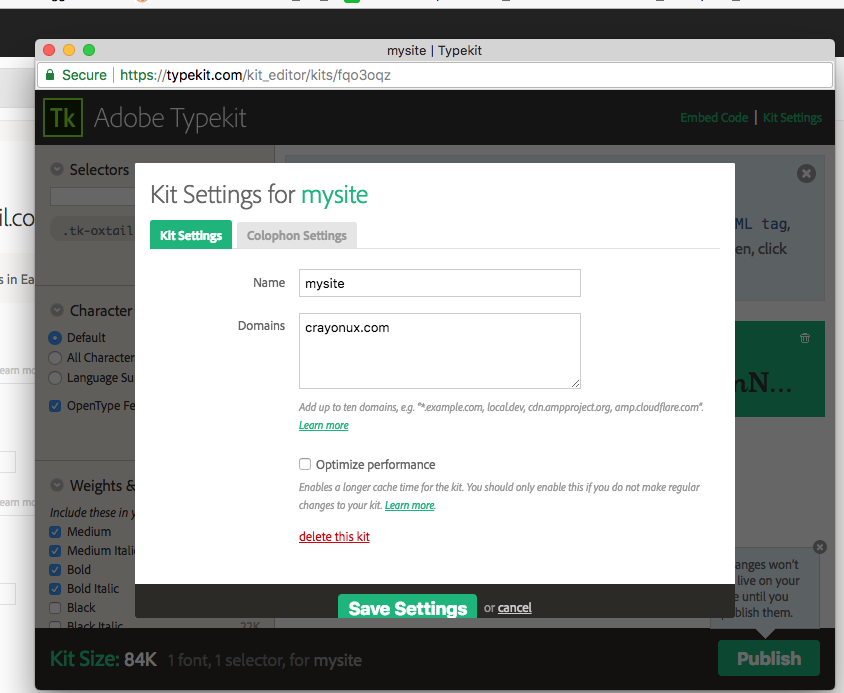
If that doesn’t help Please send us your website details in a secure note so that we can have a look.
Please provide following information:
Set it as Secure Note
- Link to your site
- WordPress Admin username / password
All the best!
Sorry, I did post the question with the wrong account, now using the right one …
Can you please confirm if you have entered your Typekit ID and got all the fonts?
Yes. Confirmed.
If yes please log in to your Typekit profile and add your website URL to validate there.
Looks a little different to your screenshot, but yes, the correct domain is listed there.
I’l send you website-information via secure-note.
Best regards
Uli
Hi There,
Thanks for the details!
I check your site and the font is loading fine.
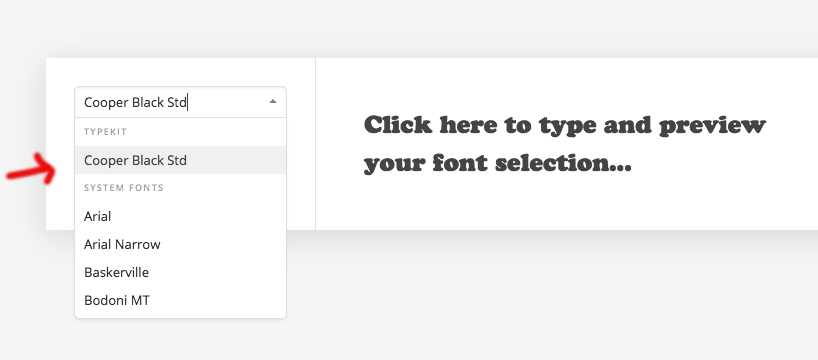
In the theme typography you haven’t activated font manager.
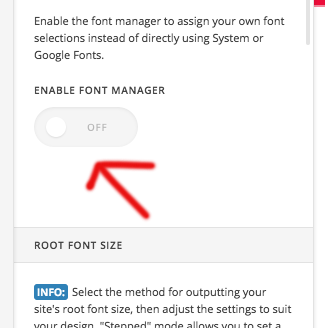
After activated the font manager you can see your templates created in font manager.
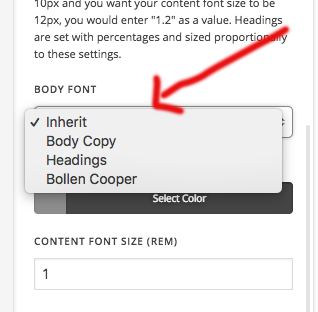
Hope this is clear now!
Great - now it works. I did enable the fontmanager before - but only saw “inherit” in the dropdowns. Probably some caching issue? Anyway, now everything works as expected. Good service!
Uli
Hi Uli,
If the Theme Option or Cornerstone page is open before you have added some fonts from the Font Manager, you will have to refresh those pages first so that the new fonts get loaded. Also, it could some cached version you are seeing.
As for this thread, we could delete this if you request.
Let us know.
Thank you.
This topic was automatically closed 10 days after the last reply. New replies are no longer allowed.