Two questions regarding CSS

Hi there,

I’m building a site at: http://biokutatas.decorolux.com/

Question 1:

I can’t seem to change the headings font-family to merriweather. I tried doing it through theme options. And doing it through template manager. When I look at the code I see that open sans is included somewhere, but I can’t seem to find a way to delete it. Can you help?

Question 2: Although at times useful, is there a way to edit global css outside of customizer through say a FTP? Sometimes it would be easier for me.

Thanks! Login in comment.
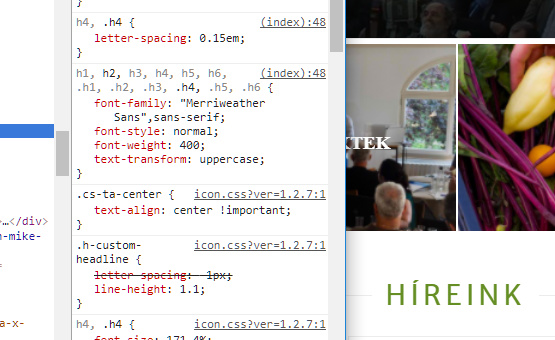
Hey @Pbalazs89,

You might have saved something in the Customizer that is why the Typography setting there took effect instead of in the Theme Options. I went to Theme Options and enabled then disabled the Font Manger and hit save and now your headings uses merriweather

To your second question, regretfully, there’s no way.

Thanks.

Thanks, that worked great. Two other quick questions:

  1. http://biokutatas.decorolux.com/csapatunk/

Here, the site renders differently than it is shown in cornerstone ( no margin on the left and right) - what is causing this?

  1. Menu - If you hover on szolgáltatások, or kapcsolódj be, the menu goes off screen. Is there a way to fix the formatting?

  2. I would like to add a modal popup ( shortcode based ) to the menu. I tried adding it via a custom item, which is supposed to support shortcodes. No luck so far. It rewrites the shortcode and puts http:// in the beginning. What am I doing wrong?

  3. Also, I have an extra HOME button in the menu that I want to use as the logo. It does not appear. Any image I add it disappears after I save.

Thanks!

Hi There,

  1. That page’s section/row/columns margin and padding looks fine on the front-end. Please provide us screenshot of the issue on the Cornerstone. In the meantime, please your content for any unclosed html tags.

  2. What modal popup element/plugin you’re using? Please clarify.

  3. Use the code below as your menu item’s Navigation Label.

<img src="IMAGE URL HERE" />

Replace the IMAGE URL HERE with your actual image URL.

Thanks,

Thanks Friech,

  1. https://www.dropbox.com/s/41wsco5ah04190z/Screenshot%202018-02-01%2009.52.31.png?dl=0
    Looks fine in cornerstone.

And on the live site: https://www.dropbox.com/s/p834iwre1o5td62/Screenshot%202018-02-01%2009.53.18.png?dl=0

Top images are way bigger than the bottom ones.

  1. I would like to use a modal popup when they click on a nav menu element.

  2. That worked great, thanks! However, Here’s an image of approx what I would like to achieve: https://www.dropbox.com/s/il964jume049zgd/Screenshot%202018-02-01%2010.03.32.png?dl=0

So the logo would overflow the nav menu. However, right no, if I enlarge the logo inside the nav menu, it makes the nav menu larger. Any way to get around this?

Thanks!

Hi There,

Can you post the URL of the specific page where you are seeing differences betwen the CS view and Front end? I could not find it.

2 - To adjust the logo, please add the following CSS to Theme Options CSS

#menu-item-2267 {
       background: white;
    margin-bottom: -54px;
    border: 2px solid green;
}

3- To launch a modal from the menu, add an custom link menu item and link to #

O the Appereance > Menu > upper right corner, you have screen options, turn on classes. and add a launcher class to your menu item you have just created.

On Wp Admin > X you can install Convertplus, watch this video to learn how to launch Convertplus with a class (the one you have added to your menu item)

Hope it helps!

Hi, Managed to fix the logo. Thanks for that. Will try out convertplus soon. In the meanwhile, another question arose.

http://biokutatas.decorolux.com/szervezet/

I’m trying to use fontawesome on this page, and I’m using the following shortcode:

Whenever I use it inside the text element, it comes up blank.

Any idea why?

*** Managed to work around it by using X’s built in check.

Hi There,

Thanks for letting us know!

This topic was automatically closed 10 days after the last reply. New replies are no longer allowed.