First: How do I vertically align content on a page in Cornerstone?
Second: How do I disable the page title in upper left of the screenshot?
Thanks in advance!
Hi Ken,
Thank you for reaching out to us.
- To vertically align content, simply enable the Marginless Columns. First go to the Row settings of your section (see screenshot)

Then enable the Marginless Columns option (see screenshot)

Then in each of the columns, add the following CSS in the Element CSS area (see screenshot)
$el {
  vertical-align: middle !important;
}

You’ll find the Element CSS field under Columns’s Customize tab (see screenshot)

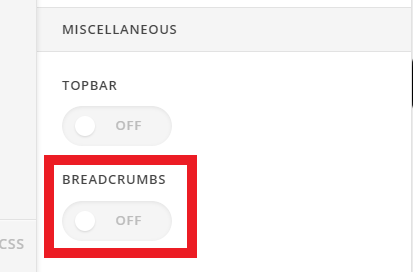
- To disable the breadcrumbs, navigate to Theme Options > Header > Miscellaneous > Breadcrumbs and turn it Off (see screenshot)
Let us know how this goes!
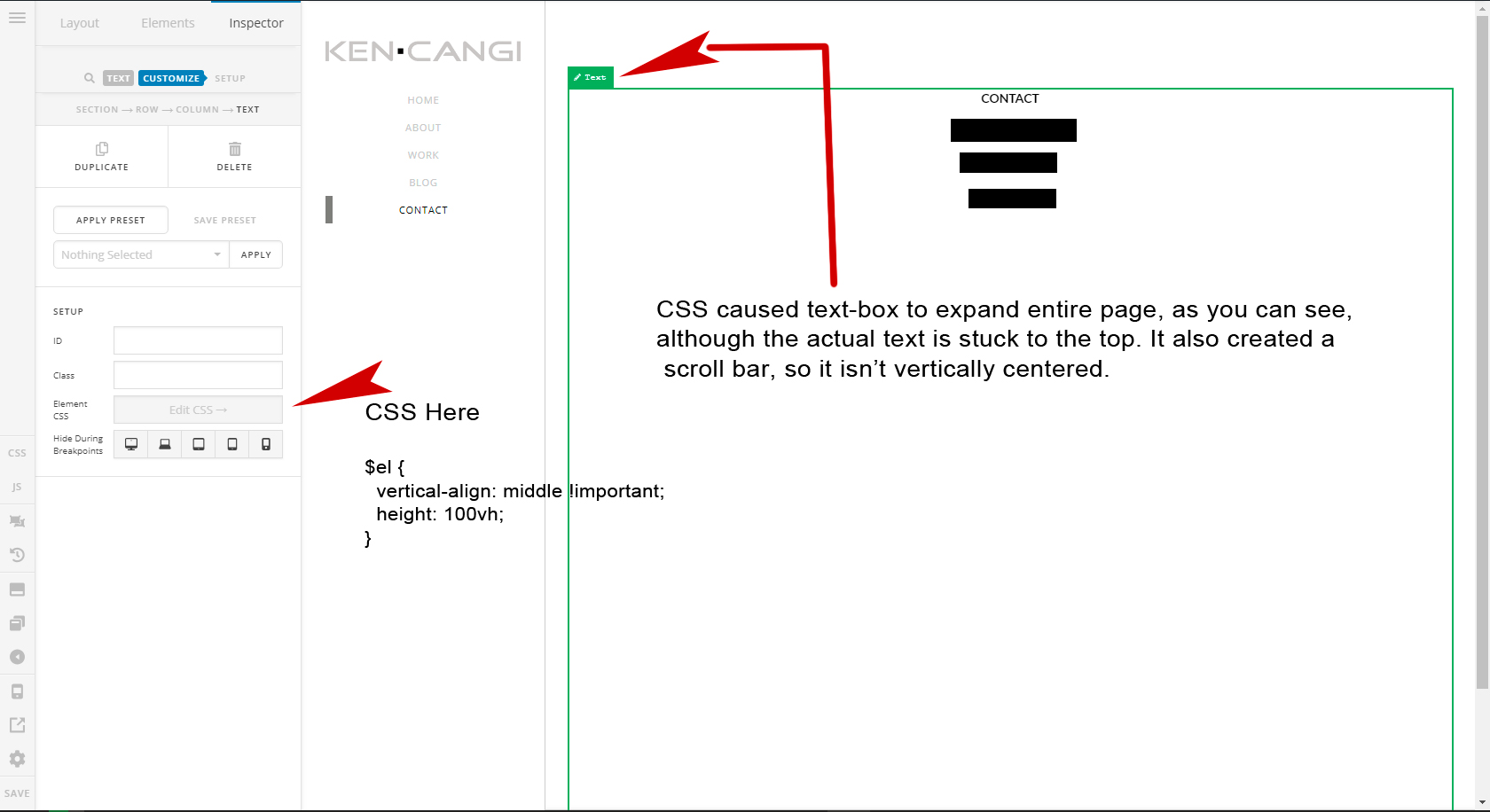
I followed your instructions , although it did not work.
Hi Ken,
May I know which one? And place change the CSS to this
$el {
  vertical-align: middle !important;
  height: 100vh;
}
As based on your design, it should be full-height.
Thanks!
Hi Ken,
Would you mind providing us with login credentials(by clicking on the Secure Note button at the bottom) so we can take a closer look? To do this, you can make a post with the following info:
- Link login to your site
- WordPress Admin username / password
Thanks.
I appreciate your help, although I’m not willing to allow access to my site. I’ll have to find another way to resolve this. Thank you for your time.
You’re most welcome!
This topic was automatically closed 10 days after the last reply. New replies are no longer allowed.