Turning off annyoing fade in

https://toothandnailgrooming.com/coming-soon/

You’ll notice that that content on the bottom of the page is not loading cause I need to scroll down for it to load. How do i turn this off. And FYI this is a poor design choice, effects SHOULD NOT be attached standard to new elements.
1 Like

Hi @johnyct9760,

Thanks for reaching out.
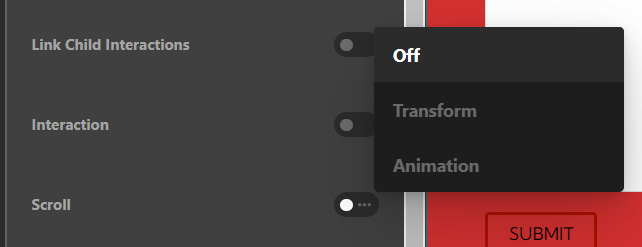
I have checked your coming soon page and found that the Scroll animation has been enabled in the DIV element inside the Column. I would suggest you Off that option as shown in the given screenshot.

Screenshot 2022-09-28 170851

Hope it helps.
Thanks

It’s off and it’s still happening. I’m not sure where to look I couldn’t find the element you were talking about. Can you log in and turn this off and try to illustrate in screenshots of the top bar showing the chain of the element you are talking about.

Thanks for the extra help,

John

Hello John,

You need to turn OFF the effects for each DIV elements inside the List element.

Best Regards.

Ok did you turn it off already cause when I’m going where I think I should (See screen shot) It looks like the effect are already turned off:

A also padded out the page a bit to see if the list item were scrolling in and it look like on my end they weren’t so does that mean they are already turned off?

Thanks

Hello @johnyct9760,

I must have saved the page when I turn OFF the effects. Anyways, it seems that you issue has been resolve already. Please feel free to create another thread if you need any further information.

Best Regards.

This topic was automatically closed 10 days after the last reply. New replies are no longer allowed.