Hello,
I’m trying to make a fullwidth page where the image and background color would take all the space from the edges of the screen, without any pagging. So I’m using ‘no container | header, footer’ page template with a Cornerstone-built layout. However, I can’t figure out why there’s white space on both sides of the content nevertheless.
The page is here:
There’s no padding or other custom CSS added to the image or that red-colored raw.
Could you help me to figure this out?
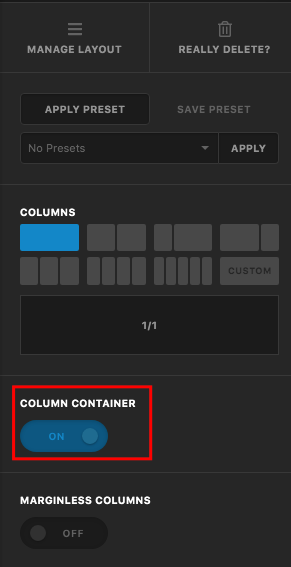
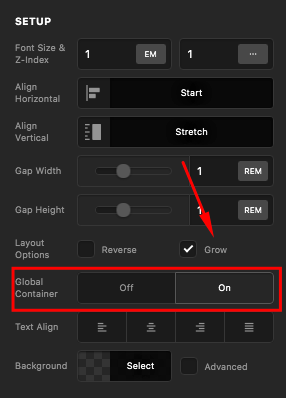
Also, is there a way to create one row or section fullwidth — so that the image would take the whole space between the screen edges — and then other rows or sections would be using container so that the text content, for example, wouldn’t spread to the screen edges? It would be ideal for my site. Maybe there’s a not so difficult way to do that?
Thank you!
–
Alex
 I haven’t been working on my site for quite some time so forgot many things.