Hi,
I have noticed that an error in the top separator display is showing up in Safari again. Tried the page in Chrome but it doesn’t show. This error was there previously, went away for a while and now is back.
How can I get rid of this line?

Pix.
Hi,
I have noticed that an error in the top separator display is showing up in Safari again. Tried the page in Chrome but it doesn’t show. This error was there previously, went away for a while and now is back.
How can I get rid of this line?
Pix.
Hello Mark,
Thanks for writing in! I have checked your site in my Safari and I could not replicate the issue. This is what I am seeing:
This seems to be a caching issue. Since you are using SiteGround, could you please disable the supercacher in your hosting panel? The SuperCacher is developed by SiteGround exclusively for their customers. It increases the number of hits a site can handle and boosts the website loading speed. The SuperCacher includes 4 different caching options for maximum optimization of your websites. You can access the tool by clicking on the SuperCacher icon in your cPanel.
For more information about this, please check it out here: https://www.siteground.com/tutorials/supercacher/supercacher_intro.htm
You may also need to purge your site cache if you are using CloudFlare. For more troubleshooting tips of the most common issues in a site, please check out this documentation guide:
Hope this helps.
Hi,
I deactivated the SG optimiser plugin, cleared my browser cache and purged the CDN cache but the problem was still there. I have turned the SG cache back on now because that doesn’t appear to be the problem.
I understand how SG optimiser works and having been using and testing it for many years.
Mark
Hey Mark,
This issue has to do with screen resolution and/or zoom level. I can replicate the issue on Windows Chrome at 67% zoom level.

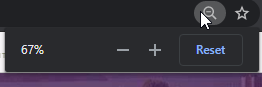
Try adding the following code in Theme Options > CSS to see if it’ll resolve the issue on your end as it does on mine.
[class*=x-separator][class*=top] {
    top: 2px !important;
}
Hope that helps.
Thanks that has sorted it out 
You are most welcome!
This topic was automatically closed 10 days after the last reply. New replies are no longer allowed.
