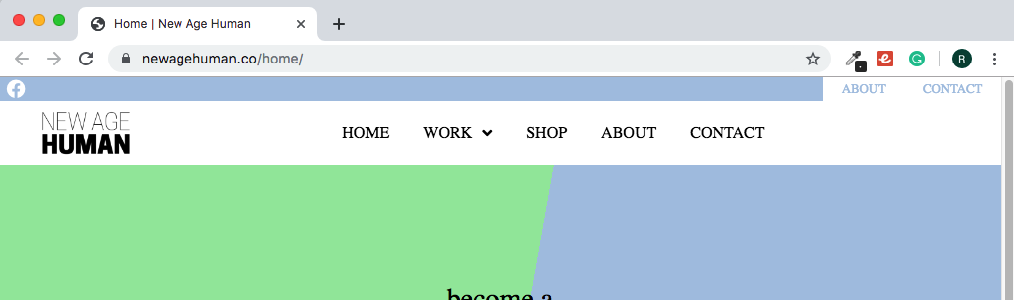
Top bar in Header won't change to complete white!

Hey there,

I’m having a very peculiar issue whereas I am trying to make the top bar in my header a #fff white but currently stays as a slight grey. The blue is intentional, only talking about the 2 buttons on the right side and the Facebook social on the left. They both seem to adopt this slight grey instead of #fff.

The main bar right under is white although if I create a new bar, it has this slight grey even if I choose #fff as the background colour.

Here is the website: https://newagehuman.co/home

Hi Nico,

Thank you for reaching out to us. That’s the box shadow around the navigation bar which is causing the trouble:

Inspect the Bar that contains the Navigation element in Header Builder and remove the Box Shadow of the bar:

Let us know how this goes!

Hello Nabeel,

You were right! I tried removing box shadows on everything else EXCEPT for the main bar. I was assuming the shadow would not run off into the top bar.

Attached is a screenshot:

Please notice the different background colour between the main header (which you posted a screenshot of and the top header. Your solution worked but what if I’d like to have the shadow work below the main header. I tried changing the index so that the top bar is in front although this gives it weird issues with the buttons being too large and such.

Let me know if there is an easy way for directional box-shadows to the downside.

Hello Nico,

This is what I am seeing on your site.

It seems the issue was resolved. I can see that you are using Endurance Page Cache. Please clear the cache or go to Settings > General > Endurance Page Cache and temporarily turn it off.

Clear your browser cache too or maybe use private browsing mode (Incognito mode) and test your site again.

Hello RueNel,

I see the same but only because I deactivated the shadow.
I was wondering how I only activate it for the bottom part of the menu?

Hey Nico,

You can apply the box shadow in the bar settings of the last bar so that the shadow will only be applied to the last bar.

Hope this makes sense.

That’s how it was originally but it casts a shade over the top bar as well and therefore I made this post as I thought the color of the top bar was not changing.

Hey Nico,

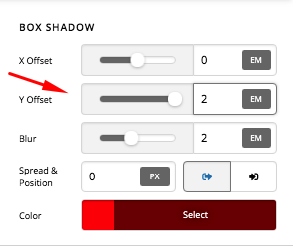
When setting a box shadow, you will have to set the y or vertical offset to at least equal to or more so that the shadow will move down.

Please check this link to get familiar with box shadow:

1 Like

This topic was automatically closed 10 days after the last reply. New replies are no longer allowed.