Theme X - Cornerstone - Fatal error

Hi all,

I just downloaded and uploaded the Theme X, it looked like a nice and easy theme to work with. Then I tried to install cornerstone. When I did this my website had an fatal error. Thru my hosting company we could remove cornerstone plugin and had acces my website again. But now I can’t adjust my website. I want to add an image on top of my website and a logo, then some text, but nothing seems to work without cornerstone…

How do I fix this without crashing my website?

Thank you in advance.

Kind regards,
Ilona S

Also the “Get design Cloud” button doesn’t work.

Hi @Ilona,

There are one or more reasons behind this issue.
Please ask your web host to configure the following server settings with the specified values or more.

memory_limit = 512M
upload_max_filesize = 512M
post_max_size = 512M
max_execution_time = 300
max_input_time = 300
max_allowed_packet = 16Mb
innodb_log_file_size = 128mb
allow_url_fopen = On

If this is not able to resolve your issue, please provide the details of your site in a secure note, including:

– Link to your site
– WordPress Admin username / password

To create a secure note, click the key icon underneath any of your posts.

Hope it helps.

Thanks

Dear Tristup,

Thank you for the quick reply.

Before I ask my web host to add this I would like to know if I then can install the Cornerstone plugin or access the built-in customizer. I read this in another post, that the cornerstone should not be installed because the Theme X has it’s own customizer?

Also the “Get disign Cloud” button is not working, would this be resolved when I ask my Web host to add the code you send me?

Thank you in advance.

Hi Ilona,

CornerStone is a builder which can be installed with our theme, it does not have any conflict with the built-in customizer.
Design Cloud issues will be resolved once the server settings changed.

If that issue still exists, let us know about that.

Thanks

Hi,

The row above is the only thing that can’t be changed without extra costs. Still my cornerstone don’t work or the get cloud designs. I don’t feel comfortable with giving you the login data for my site. Is there no other way to fix this problem? I can’t find the data you send me that, that should be the minimum for your server. I assumed Theme X worked if you had the right wp update, otherwise I won’t have bought it.

Hey Ilona,

Please note that Cornerstone is a required plugin to run the X theme and other functionalities smoothly. You might have a third party conflict with Cornerstone which triggered the error. I’d suggest you to deactivate all of your third party plugins and then try installing Cornerstone again.

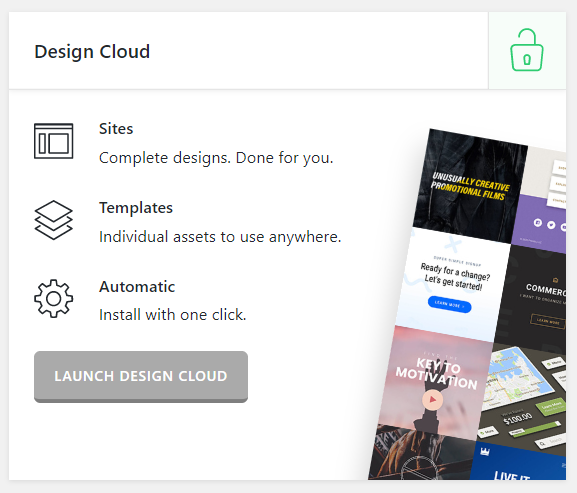
I just verified If the Cornerstone is deactivated the Get Design Cloud button doesn’t work and once you install and activate Cornerstone the button text changes to Launch Design Cloud and it starts to work:

image

Also make sure the minimum requirements to run X and Cornerstone meet here https://theme.co/docs/version-compatibility

Let us know how this goes!

This topic was automatically closed 10 days after the last reply. New replies are no longer allowed.