Theme Options displaying old selections

Heya,

Is there a way to clear my cache for theme options? I tried the clear cache option under theme validation menu (or maybe it was theme settings?) … did nothing.

The problem I am having is that, when I load a page in theme options, the page updates that I made (colors and formatting on buttons) don’t display properly in the page. Some of the styling is coming from CSS, some of it is coming from the attributes in the button element.

I’ve never had an issue with my CSS loading in my theme options preview, before, so I wonder if my cache is full?

Thank you!
Shannon
Hi Shannon,

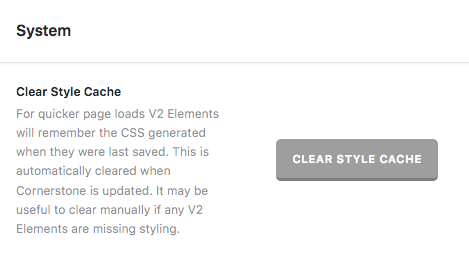
Thanks for writing in! You can clear style cache by head over to X -> Settings -> System area.

However, if you’re using a caching plugin, you can clear it’s cache as well and sometimes you need to clear browser cache to see immediate changes. Please refer to the following resource for that (https://www.wpbeginner.com/beginners-guide/how-to-clear-your-cache-in-wordpress/).

Also try testing your site in Chrome’s Incognito mode to avoid possible caching issues. Please refer to the following resource for that (https://www.lifewire.com/incognito-mode-google-chrome-4103635).

Finally, if you’re using any external CDN like CloudFlare, you need to login into their account and clear it’s cache as well. Please refer an example here (https://support.cloudflare.com/hc/en-us/articles/200169246-How-do-I-purge-my-cache-).

Hope that helps.

This topic was automatically closed 10 days after the last reply. New replies are no longer allowed.