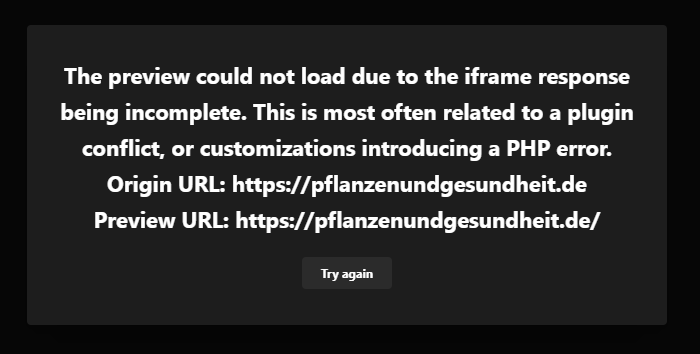
The preview could not load due to the iframe response being incomplete. Still can't find the error

Hello!

On my WordPress website I get this message by selecting one of the content items from the design cloud:

The preview could not load due to the iframe response being incomplete. This is most often related to a plugin conflict, or customizations introducing a PHP error.

And the content item is ‘The Final Countdown’. I found other people with the same problem and did a lot of the steps I found on this forum. But after installing everything as new, and trying different steps I still get this message.

I tried:

  • Memory limit higher in .htaccess
  • WordPress new installation
  • Switching back from child theme to the Pro theme
  • WP debug finding a error, no error visible
  • No new plugins installed after new wordpress installation

Hopefully you can help me with this one.
Hey Lisa,

You’re using PHP 8 which is still not stable. It’s under beta support according to the compatibility doc of WordPress Please ask your web host to downgrade PHP to 7.4.

If that doesn’t help, please give us FTP credentials also so we could do some more tests and see the error log if available.

Thanks.

Hello Christian,

Thank you so much! It’s working again. I have a new webhosting and NEVER thought of the PHP version.

You are most welcome, Lisa!

Hey there,

I have exactly the same Problem on my new installation and already tried out the same as the person above.
I also changed to PHP 7.4 in the Server. What alse can I do???

Hello @ArtOfSpring,

Thanks for sharing the login details. I checked your site settings it seems that you added an index.html file on the WordPress installation. Please note you can have multiple index files on the root directory since WordPress has already given the index.php file. and that site renders from the index.php file just because your builder is not working properly. I would suggest you please remove the index.html file from the root directory then check it again.

Hope it helps
Thanks

Hello @prakash_s

thank you for the fast analisis! I did exactly what you’ve recomended and now it works out fine!
Good Work!

Thanks

You are most welcome @ArtOfSpring

This topic was automatically closed 10 days after the last reply. New replies are no longer allowed.