Hi,
I can’t find how to change standard layout portfolio (template) to create in The Grid layout.
In Cornerstone I can’t change anything.
Could you help mi with this problem?
Best regards,
Piotr
Hi @wremo,
Thanks for reaching out.
That’s not currently possible and the built-in portfolio has no connection with The Grid. But, you can use The Grid to display your portfolio (as grid items) linking to its single portfolio page.
And if you’re referring to a template similar to the page, it’s not possible too since it uses a default template for portfolio post type.
And you can’t use cornerstone for editing The Grid too, you simply create your grid in Admin > The Grid and just place its shortcode or element in the cornerstone to display it.
Thanks!
Hi Rad,
thanks, for reply.
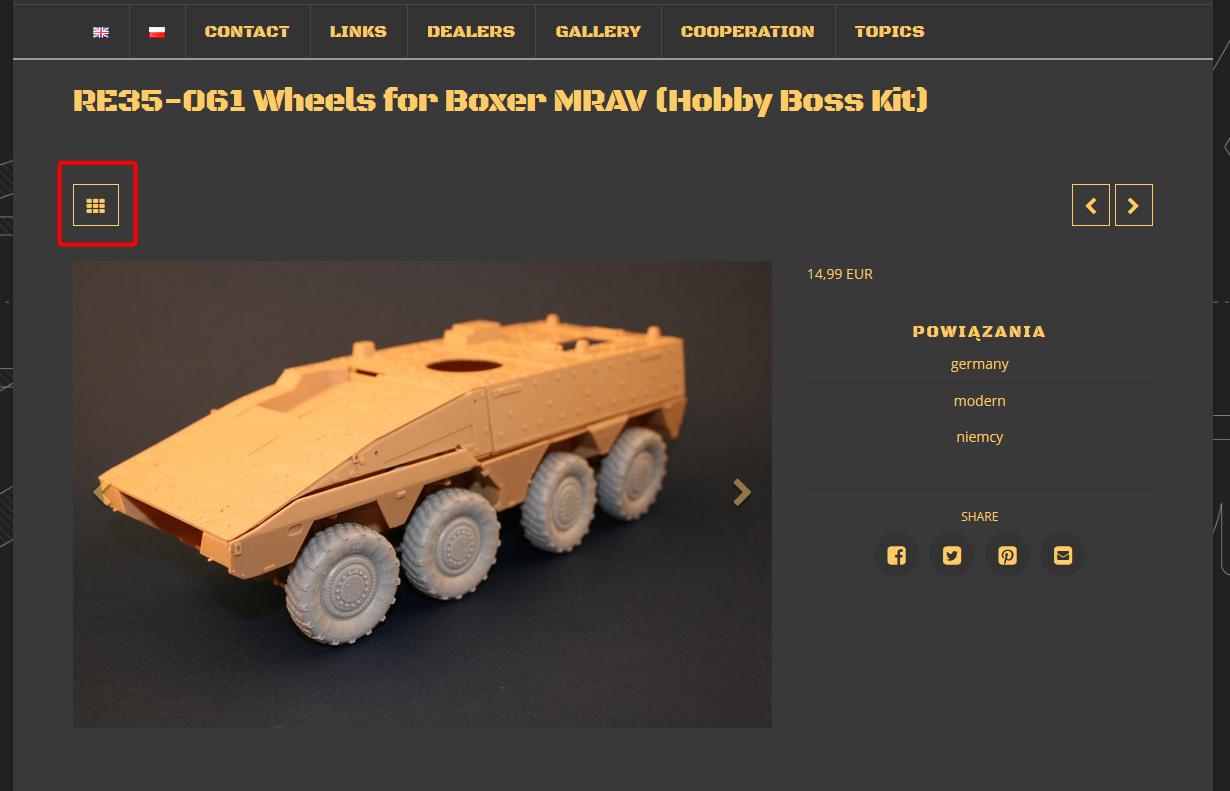
How can I change link from porftolio item to main porftolio site?
Screen below: (http://nowa.panzerart.pl/wp/portfolio-item/re35-061-wheels-for-boxer-mrav-hobby-boss-kit/)
Best regards
Hi There,
While that is outside the scope of support, I could point you in the right direction with the understanding that it would ultimately be your responsibility to take it from here.
You can use a jQuery function like .attr(), to change the URL of that button. You can use the following selector to target it.
.single-x-portfolio .entry-top-navigation .entry-parent
You can place your formulated jQuery script on the Theme Options > JS
I have found the proper CSS selector using the Chrome browser Developer Toolbar.
Hope it helps,
Cheers!
Hi,
working solution:
jQuery(document).ready(function(){
jQuery(’.single-x-portfolio .entry-top-navigation .entry-parent’).attr(‘href’, ‘link site here’ ) ;
}) ;
Glad you have sorted it out.
This topic was automatically closed 10 days after the last reply. New replies are no longer allowed.