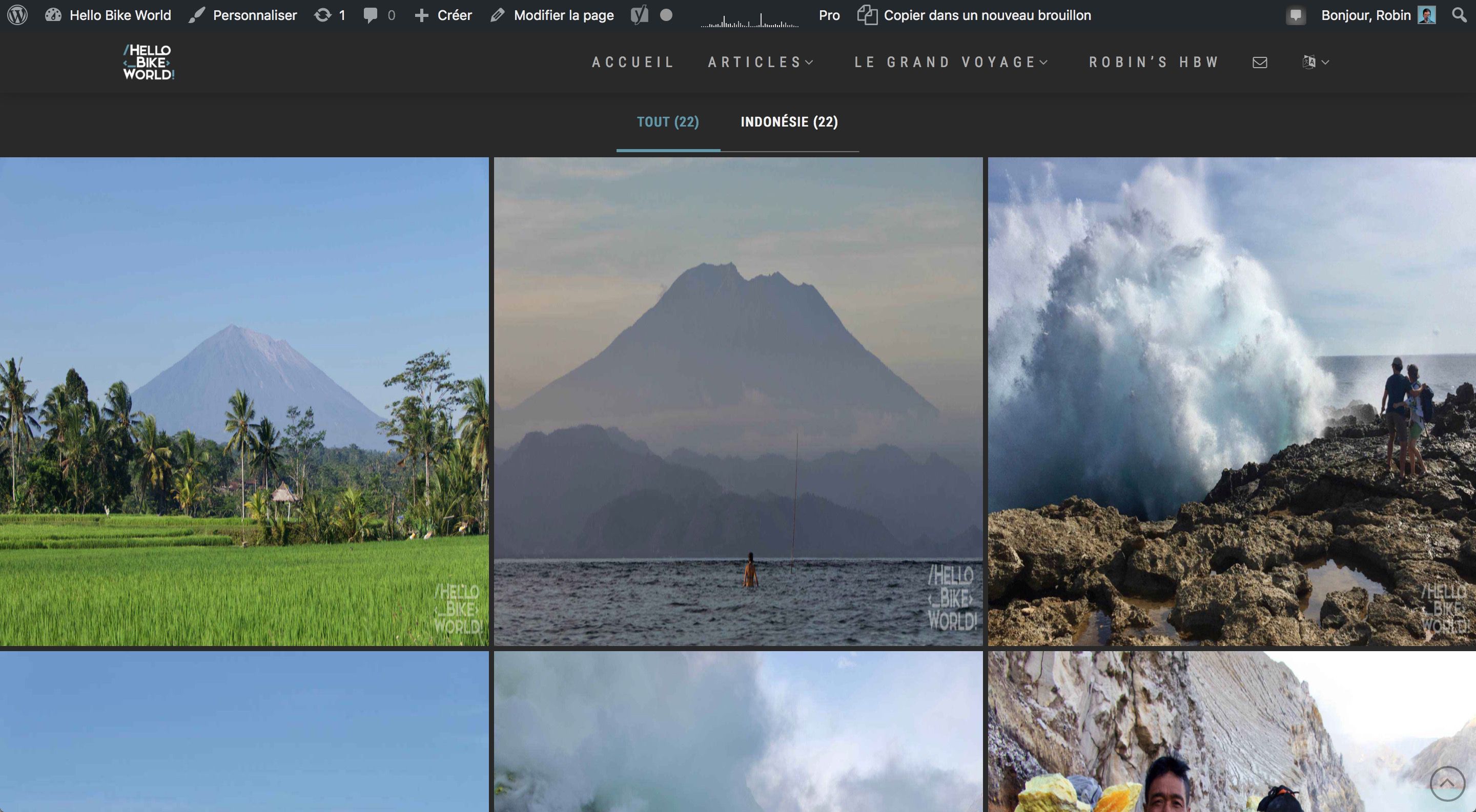
The Grid : Problem with latest update (distorted photos to fit square boxes)

Hi there,
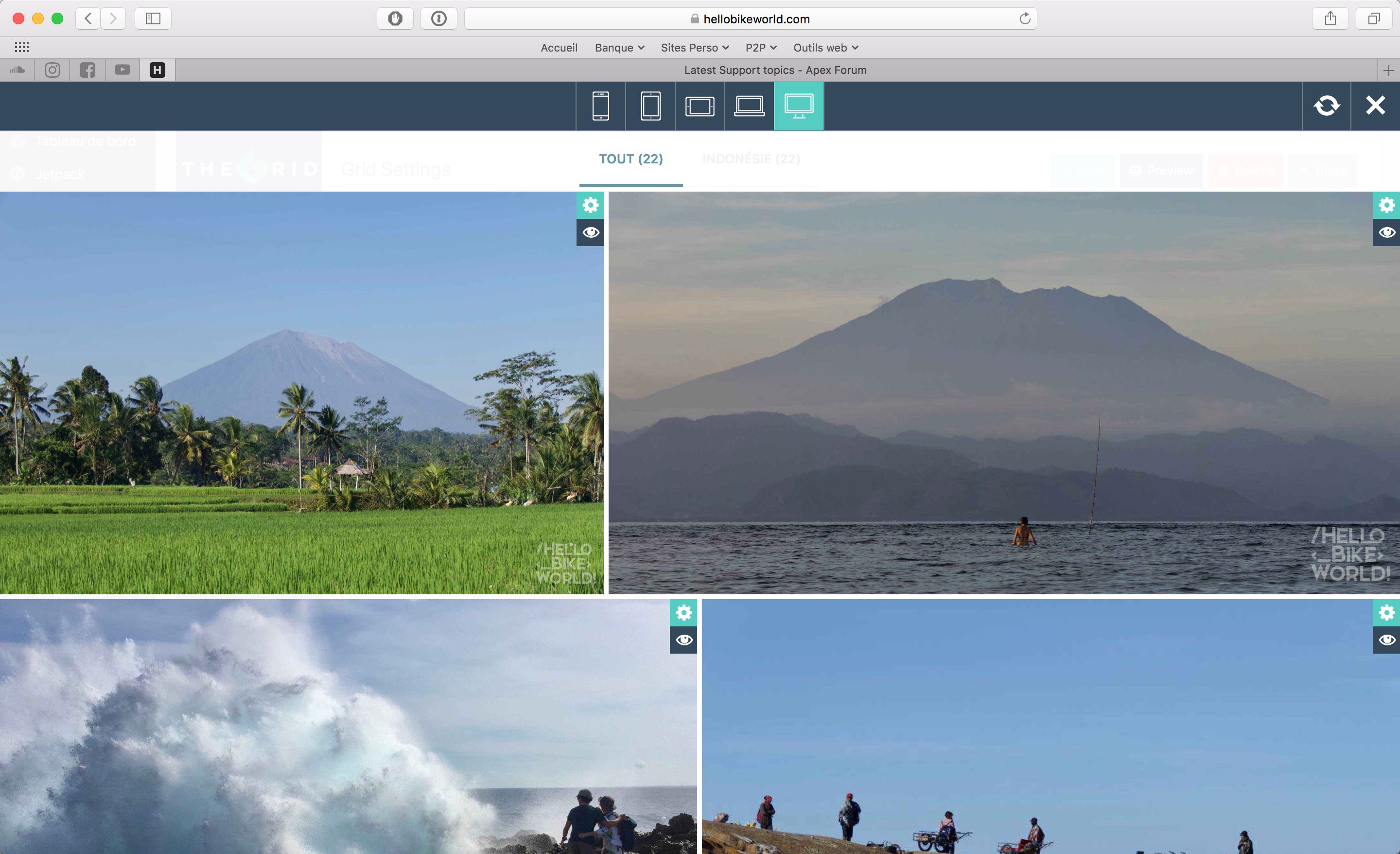
I have a new problem after the latest update. My grids types are now displaying as “Grid” and not like “Justified” anymore. In the preview, everything seems to work fine. On the website, all the photos are distorted to fit the square boxes.

example is from this page : https://hellobikeworld.com/robins-hbw/
Thank you in advance for any help,

Robin

www.hellobikeworld.com

Hi @Kariboulevrai,

Thanks for writing in.

Upon checking your setup, it is working well.

Please try to purge site and browser cache before checking again.

Let us know how it goes.

Thanks.

Thank you Nico for your answer. I tried to purge the website and empty the cache but the problems remains.
One strange behaviour : after applying one filter, the layout is fine again. (On my example, when i change to “Indonesia” and back to all again.

EDIT : I think I found the problem. I use a3 lazy load for the images. It seems that with the new versions of The Grid and lazy load, there is a conflict. Maybe there is a fix possible with a3 lazy load settings ? Any advice ?

Hello There,

We are sorry you are having this issue. Are you using Jetpack Lazyload? Regretfully, we cannot provide support for third party plugins or scripts as our support policy due to the fact that there is simply no way to account for all of the potential variables at play when using another developer’s plugin or script. Because of this, any questions you have regarding setup, integration, or troubleshooting any piece of functionality that is not native to X will need to be directed to the original developer. It would be best to get some instructions from JetPack regarding the issue. Alternatively, you may check this article: http://www.wpbeginner.com/plugins/how-to-do-lazy-load-images-in-wordpress/

Hope this helps.

This topic was automatically closed 10 days after the last reply. New replies are no longer allowed.