I know, that this issue is “out of scope” but…
Maybe someone knows, why initial animation in the grid plugin works only in “load more” mode?
I want my grid to load like in demo and animate then in displays on screen:
I know, that this issue is “out of scope” but…
Maybe someone knows, why initial animation in the grid plugin works only in “load more” mode?
I want my grid to load like in demo and animate then in displays on screen:
Hey Philipp,
The Grid usage and troubleshooting are part of our support. Try going to Load/Ajax and enable the Pre-loader
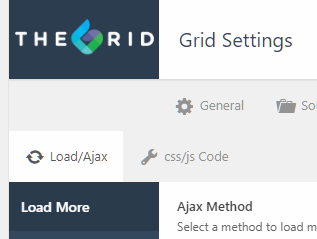
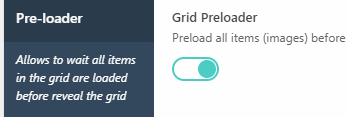
And under Animations, ensure you have an animation or it’s not set to None.
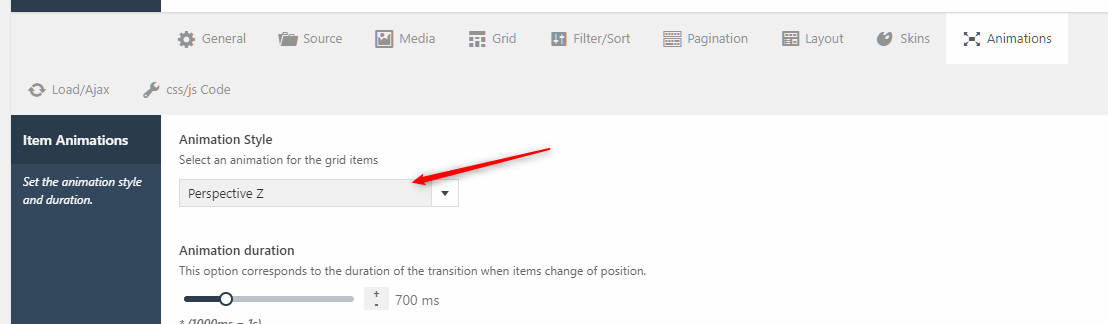
Hope that helps.
It initiates on page load no matter what kind of ajax method is chosen. Even if “on scroll” method is chosen it loads after page has been loaded…
In demo it appears really on scroll. My grid starts loading on page load… ))
I ve found an answer (some kind of trick):
My grid got 3 columns by default so:
Global CSS:
Disable “Loading…” div.
.tg-ajax-scroll {
display: none !important;
}
Section with Grid inline css:
min-height = the default loaded height
So the height of a section will be the same like if it was loaded and it will not jump after loading evey 3 items (columns)
And every row will load on scroll.
There is only one issue. The first row loads everytime after the page was loaded. Other row are loading well.
Sorry for my english )
Hello There,
It will load the first row after the page has been loaded. If you have several grids in the same page, the first rows will be loaded as well. This is a plugin default and you can no longer alter that.
Hope this helps.
This topic was automatically closed 10 days after the last reply. New replies are no longer allowed.