The Grid - orientation

​https://renovateredding.com/gallery/

The current layout is using 2 rows and slides. The order of the gallery items currently goes from:

top left > bottom left > top right > bottom right

I want them to go:

top left > top right > bottom left > bottom right

I’m trying to get a side by side before and after layout.

In order to get the pictures to display the way I wanted, I had to stage them so they show up side by side in the grid slider, HOWEVER, when I was using a different skin (apia) and it allowed the pictures to come up in a lightbox to scroll it would show them in the grid order (not like I staged them to show on desktop). So if anyone was viewing them in the lightbox it looked mixed up - the before and after pictures did not follow each other.

I’d like help arranging this better for my client. I hope this makes sense. Thank you.
Hello There,

I have check the slide. I am little confuse with the issue. Can you give us a screencast of how it should be comparing to what it is now? Right now there’s no lightbox when I click the content on the slide. If it would help us, please also share your site credentials inside a secure note so we can check the settings of the grid directly. Thank you.

Here’s the video to see what I’m looking to do: https://youtu.be/gankK477oPQ

I’ve provided the login information in a secure note.

Hi @nlwebdesign,

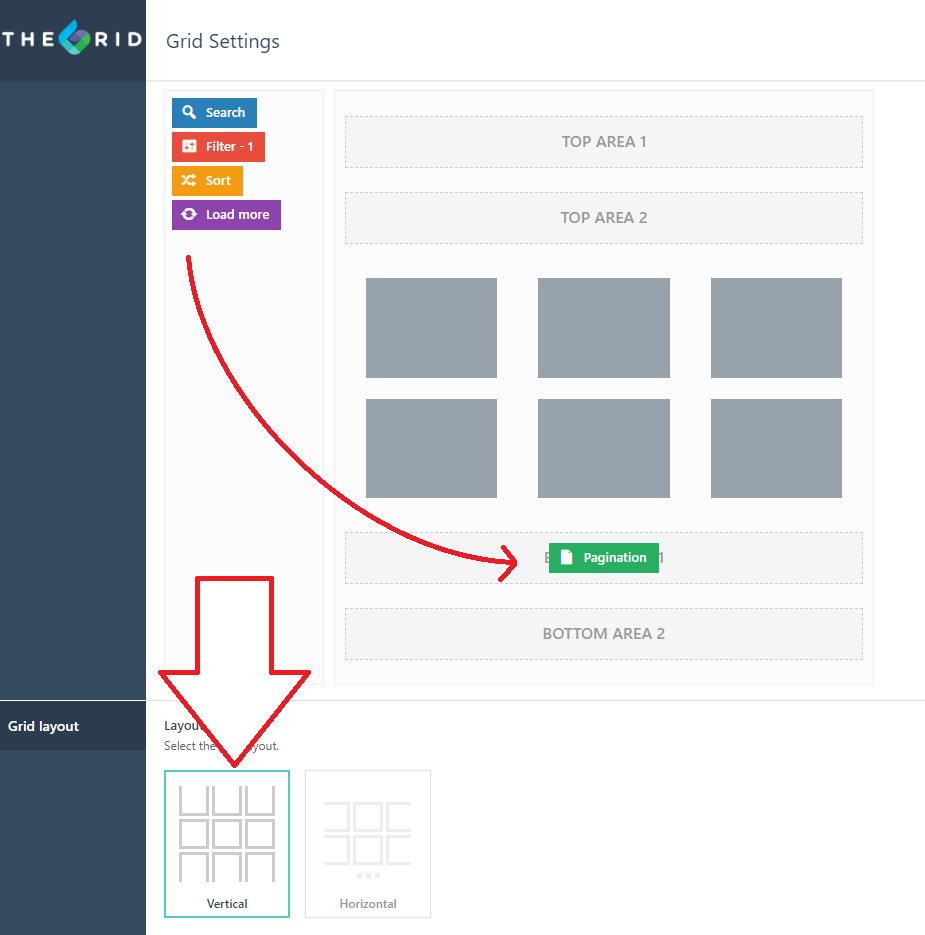
I tried with many grid setups and it appears not possible once you set its layout direction to horizontal. The direction is top-bottom for horizontal layout. Then left-right for vertical layout.

What I recommend is using the vertical layout and manually apply the pagination

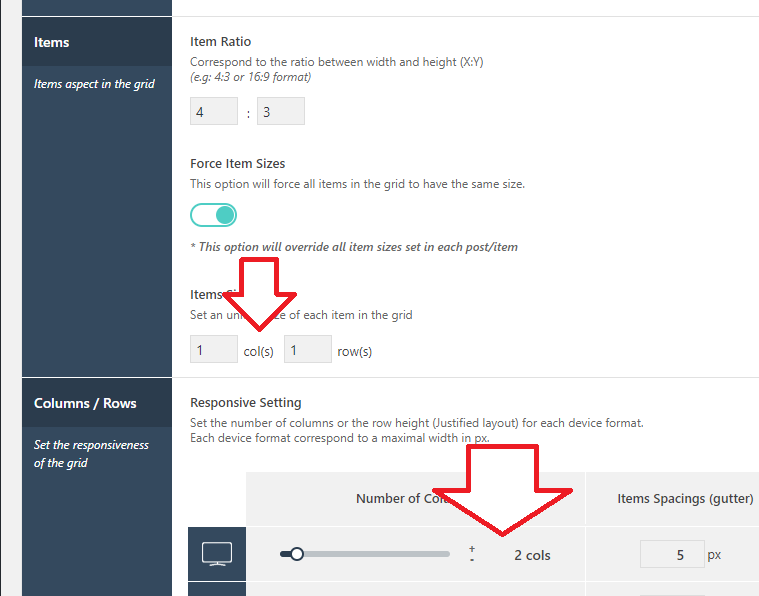
Then maintain the 2 column grid setting

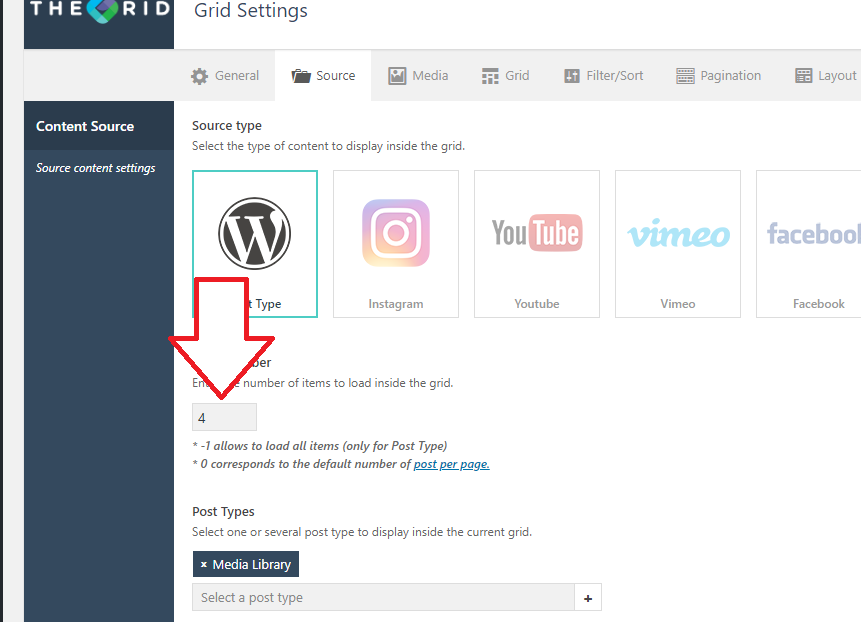
And lastly, make the limit to 4, so it would display 4 items per page

This will then make the items direction from top-left to top-right, then bottom-left to bottom-right. The downside is, there is no bullet navigations.

Thanks!

This topic was automatically closed 10 days after the last reply. New replies are no longer allowed.