The Grid Image's strange Width in Mobile - 2.0

Hi Friends,
I asked for help about an visualization issue with a The Grid roulette on mobile.
Although you guys solved it, quickly, the issue continues to happen.
Here goes the link with the former topic: https://theme.co/apex/forum/t/the-grid-images-strange-width-in-mobile/46733

When I first open the site in a cell phone, the images look too wide, but if i refresh the page, they look normal.

Please, can you help me figure out why?

Thank you very much!
Sebastian
Hi Sebastian,

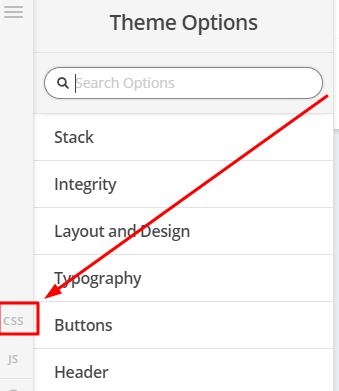
To fix it, you can try adding this in Theme Options > CSS

@media(max-width:767px) {
img.tg-item-image {
   width:auto !important;
}
}

Hope that helps

Hi Paul, Thank you very much!
I used the code, but sadly, it created some weird spacing between some photos of the gallery.
Please see attached picture.

Thank you very much for your support!

Hey @sebagc,

The root cause of the issue is The Grid’s dynamic calculation of the container’s aspect ratio and the image height and width is set to 100%. Modifying the height nor width is neither the solution. This dynamic calculation which is powered by Javascript should be corrected in the plugin itself so I’ll post this to our issue tracker.

For now, regretfully, there is no decent workaround. I’ve commented out Paul’s code in your site so it won’t take effect but if you wish to use it, you can remove the block comment syntax surrounding the code. /* */

Thanks.

Hi Cristian!
Thank you very much for your answer.
Please, can you let me know maybe a different design solution around this problem?
I have the client waiting on the solution of this problem, and all i promised them was a simple gallery of images.
Weather its full width or not, or if i have to make a row for mobile and another for desktop, can you please suggest me a solution?

Thank you ver much!
Best Regards
Sebastian

Hello Sebastian,

At the moment we do not have any other solution but to try and change the grid skid. Please check out other skin as it may have different effect or results for your gallery.

You might also be interested in checking out Essential Grid plugin which will give you another grid display with much control over the grid, grid items and the skin. You can install it in X > Validation > Extensions.

Hope this helps.

This topic was automatically closed 10 days after the last reply. New replies are no longer allowed.