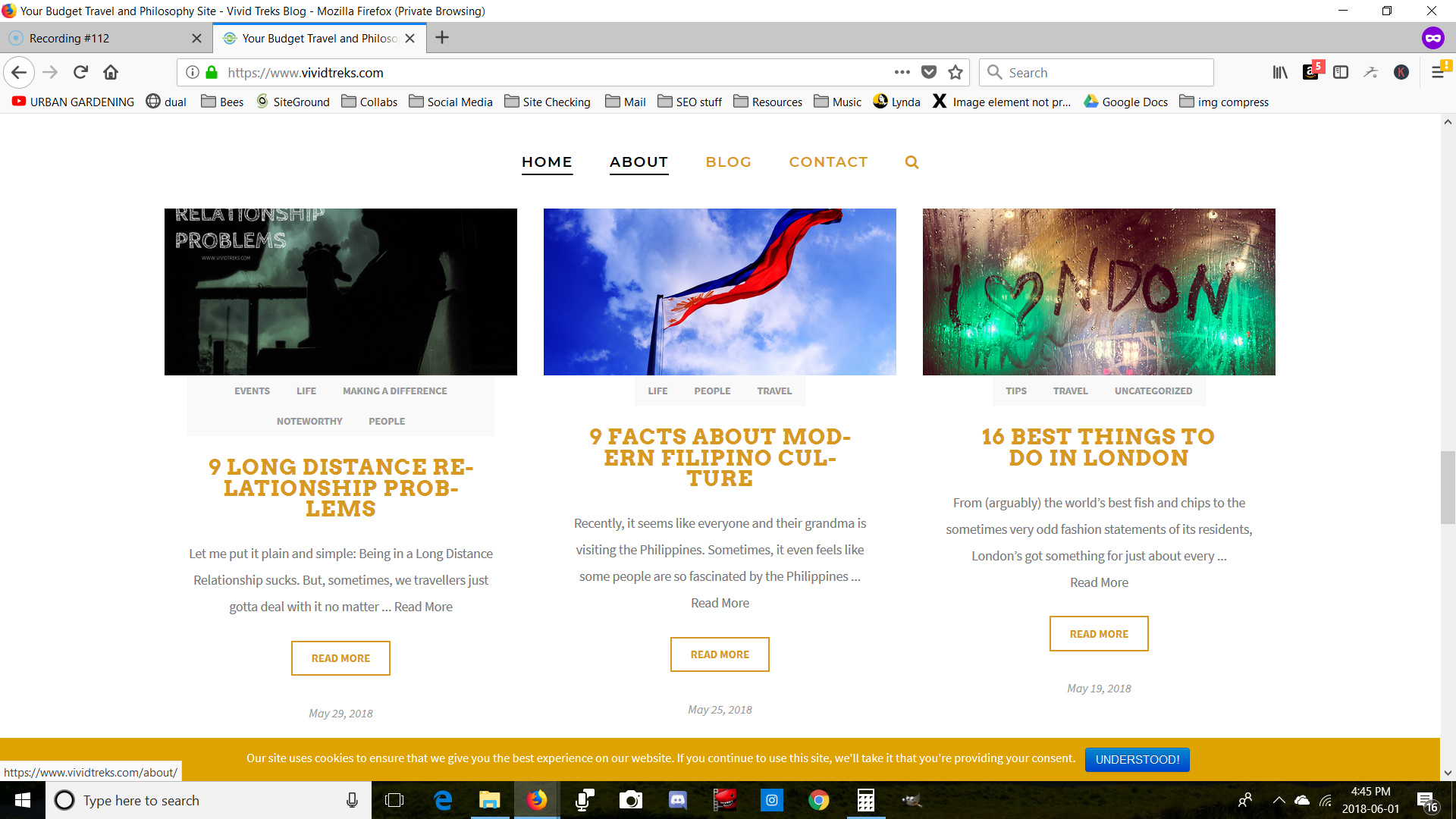
The Grid Duplicate "Read More"

I just started using The Grid plugin to show a bit more of my posts. I have 2 main issues.

  1. The titles for my post don’t seem to be fitting properly, is there a way to fix that?
    Specifically, the titles keep on hyphenating.

  2. I have duplicate “Read More” buttons which I just can’t seem to shake off. The one in the square button is the one that comes with this certain skin (I’m fine with this one).
    The other one that’s along with the text field seems to be ghosting. What I mean by that is that I can’t seem to find where it’s coming from because it isn’t showing in the skin editor at all (I want to remove this one).
    Could someone please assist?

Hello There,

Thanks for writing in!

1.) To fix your grid item titles, please add the following CSS code in the X > Theme Options > Global CSS (http://prntscr.com/evui3r)

.tg-item .tg-cats-holder *, 
.tg-item .tg-item-excerpt, 
.tg-item .tg-item-title, 
.tg-item .tg-item-title a {
    word-break: normal;
    -webkit-hyphens: none;
    -moz-hyphens: none;
    -ms-hyphens: none;
    hyphens: none;
}

2.) The more link is the default more link which was added in the excerpts. To get rid of that text read more, please add the following CSS code in the X > Theme Options > Global CSS (http://prntscr.com/evui3r)

.tg-item .more-link {
    display: none;
}

We would loved to know if this has work for you. Thank you.

@RueNel

Seems to have done the trick! Thank you very much.

Take care.

You’re welcome!
Thanks for letting us know that it has worked for you.

This topic was automatically closed 10 days after the last reply. New replies are no longer allowed.