Text tab in posts doesn't work

I’m having an issue behind the scenes on Singh-Ray.com in a few different places where when I click things they don’t do anything. The most obvious being when I am editing a post/page/product and I click the “text” tab to view the code, nothing happens. The tab highlights momentarily but the view doesn’t change.

Also when in the WYSIWYG editor, and I click the button to add an image, nothing happens, no popup, nothing. Same thing when I click to add an image to the gallery.

I’ve updated to the latest version of X. I have not updated wordpress yet because it’s not 100% compatible with all of my most important plugins yet. (I’m running 4.9.5 right now.)

Any idea what could be causing this? I’m a little handicapped without these tools right now. I will post a private note with a login for this site.

I deactivated all my plugins and the issue was still there. I switched the site to the 2017 theme and the issue was fixed so I’m very confident now that this is definitely an issue with X or the child theme.

Hey @kvpadmin,

I see you’re using the Content Views plugin and you also have custom functions and templates in your child theme. We need to know if they are not causing this issue. Please deactivate the plugin and also switch to the parent theme to test.

There is something preventing scripts from running in the back-end. I tried to click the parent theme to see what version you’re using and it does not pop-up and the same factor might be causing the post editor issue.

There’s no error related to the theme so it’s unlikely that it is the cause of the problem. When I go to the Customizer, I see an error related to heartbeat. Can you the solution in this article to see if that will fix the issue?

Thanks.

I deactivated Content Views and switched to the parent theme and still had the issue.

I installed Heartbeat Control and deactivated heartbeat for all areas and still had the issue.

For now I have left Heartbeat Control installed (deactivated) and have switched back to my child theme and reactivated Content Views.

Anything else I can try?

In this case, I recommend that you setup a copy of your site in a staging or development server and give us WP admin and FTP access. This is because we would need to perform some troubleshooting that might break your site. If that is not possible, please backup your site so you have something to revert to in case something happens during troubleshooting. Also, give us FTP or cPanel access to the live site.

Thanks.

Secure note here has everything you need.

Hi,

The dev site url doesn’t seem to work.

Can you please check the link again. We need your staging/dev site so we can properly debug without disrupting your live site.

I have checked on my test sites and this issue is not happening, there is something specific to your set-up that is causing it.

Thanks

Sorry about that GoDaddy made changes to my client’s account and deleted the subdomains! (I really hate them as a host). Everything should be working now. Please see revised ftp username in the secure note.

Hi @kvpadmin,

It’s still not working, staging is still inaccessible. I’d like to check the live site for another troubleshooting but the login redirects me back to home page.

Let us know.

Thanks!

Please use the customer login at the top in the red bar, not the wp-admin. We have redirected that login to stop hackers from trying to get in.

dev.singh-ray.com is loading for me. It’s not secured so I get a message about that but when I click to view the site anyway it comes up fine.

Hi @kvpadmin,

I’m able to log in through that, but I can’t find the cause either. But it’s originating from load script requests, so the cause is probably from existing codes that add javascript.

Plus, one thing I noticed is the post ID, it’s null which is the reason the scripts that use the post ID aren’t working.

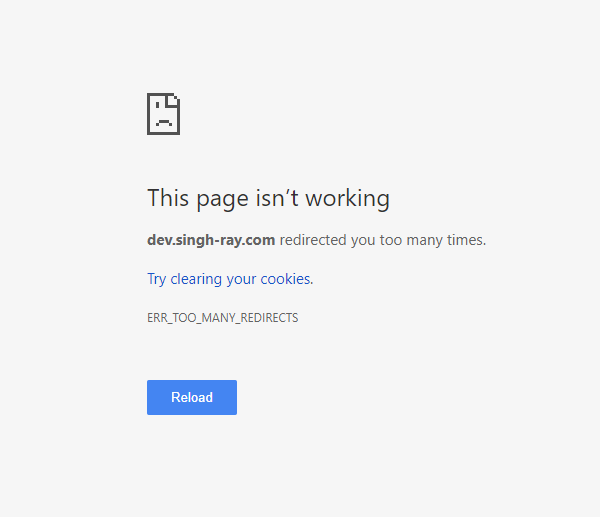
I did some partial troubleshooting without success since I don’t wish to disable some plugins, still, the staging isn’t accessible on my end. It says too many redirect. I like to do further testing in the staging to prevent damage to your site.

Thanks!

To access our staging site you HAVE TO type https:// before dev.singh-ray.com or else you’re right it doesn’t load. If you type https://dev.singh-ray.com it will load but throw a security warning because the SSL doesn’t cover the subdomain.

Please let me know if that doesn’t work for you. It’s should.

Hello There,

I was able to logged in and I am seeing JS errors in your admin page. Please keep in mind that X theme will only take effect on the front end. It will not affect the page/post/product editing screens. I am sure that having the outdated WordPress and other plugins is the cause of the issue. Please make everything up to date. Most of the time, outdated WP or plugins will result to a conflict which will affect your site’s admin page so you must update everything.

Please let us know how it goes.

If X theme can’t cause issues in the editing screens then why is the issue fixed when I switch to the 2017 theme?

Hi,

Xtheme might be in conflict with one of your installed plugins.

Try to deactivate all plugin in dev.singh-ray.com and leave only cornerstone active.

Then check if the issue persist.

Thanks

This topic was automatically closed 10 days after the last reply. New replies are no longer allowed.