Hi everyone,
It’s been a while since I’ve designed a website using the X theme. Everything looks so different…
Can we no longer change the font size within the text and headline elements? There used to be a way to do this right from the element without having to wrap it in tags for CSS. Just wondering.
Hi @moneydeezy,
Thank you for reaching out to us. It sound like the Advanced Mode is disabled in your setup. Please click on the cog icon in the settings area then enable the Advanced Mode option.


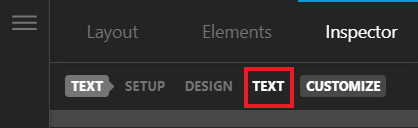
Once the Advanced Mode is enabled, Inspect your Text element, navigate to Text tab (see screenshot)
Under Text Format you can change the font size and other settings:
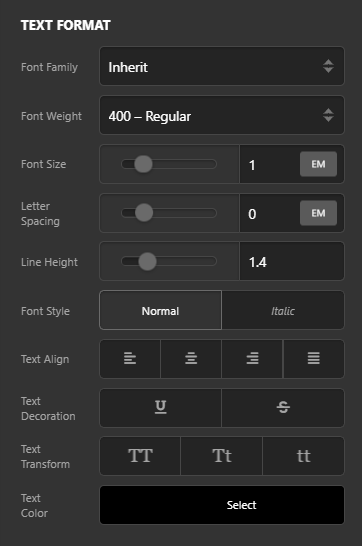
Same is the case with the Headline element
Hope this helps.
definitely the issue! Thank you, resolved.
This topic was automatically closed 10 days after the last reply. New replies are no longer allowed.