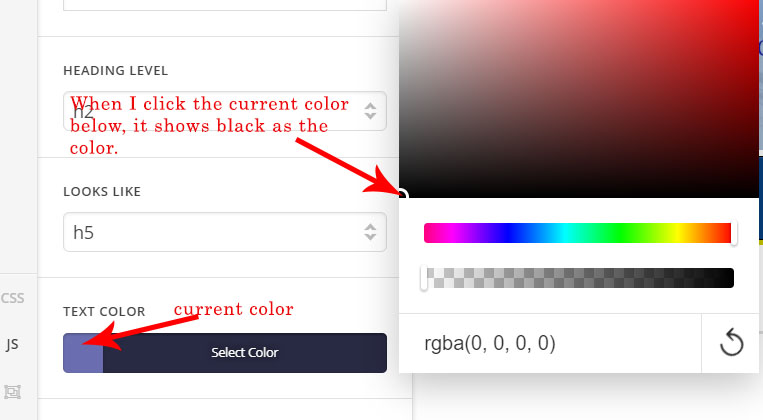
In Cornerstone, when I click Text Color to get the RGBA for the color, it always shows the RGBA for Black. How can I get the RGBA or RGB for the current color?
Please see screenshot. This problem only occurred after I installed the latest version of Cornerstone.
Hi there,
Thanks for writing in! Upon testing, it seems to be a bug. I will submit this to our issue tracker for further review.
Thanks!
Any idea when this will be fixed?
Hey @eutaw,
I confirm this also in my test install and @mldarshana has already reported this. Regretfully, we don’t have an ETA. I investigated further and I discovered that this only happens in Classic elements. V2 elements works fine.
Thanks.
This topic was automatically closed 10 days after the last reply. New replies are no longer allowed.