Template manager templates

Hi!

I’m working with my content and I deleted some sections by mistake and now I am trying to re-add the templates again but I need some help here since I´ve been struggling for some time now and I cant manage to find the place where I got them from in the first place.

This is how it looks on my website (See attachment)

My question is following: Where can I find or how do I insert the templates back again? As you can see in the attachment I have the: Timeline: Image right attached to the content. Where can I find the Timeline: Image left and add it to the content?

P.S
I am using X
I Went into the template manager but I cant find the templates that I am looking for.

Best Regards
Hello Peter,

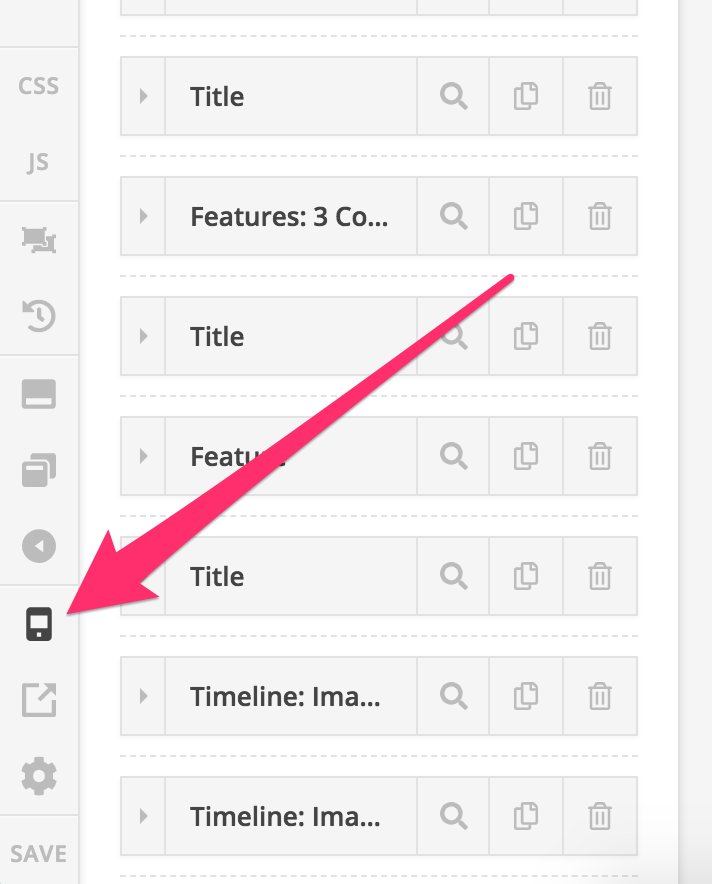
Those sections are probably hidden on desktop view that is why you are seeing them in the section list but you don’t see them on the preview.

Try switching to the mobile preview in Cornerstone:

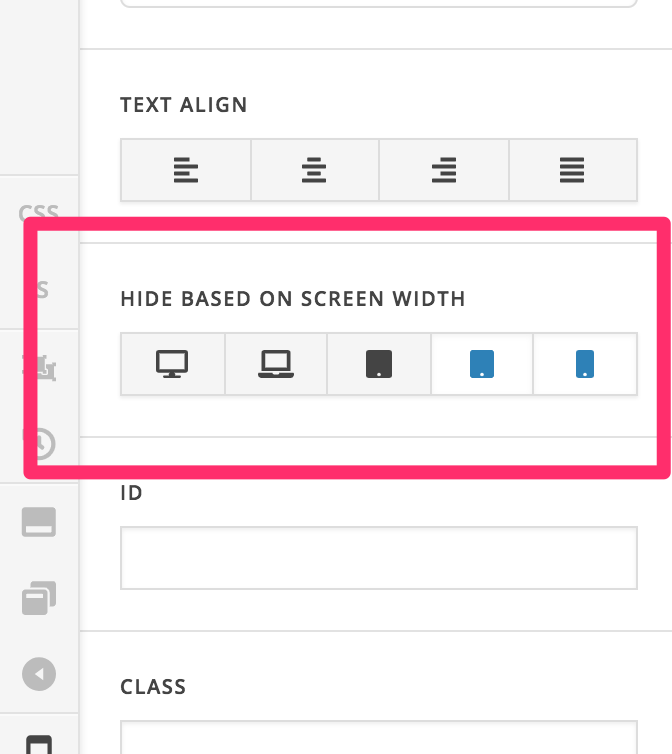
Then if you want to have the sections display on all device width, you can check the sections’ Hide based on screen width settings.

Hope this helps.

Thanks for your reply Jade :slight_smile:
There has been a slight missunderstanding. See the attachment, the big red square is: “Timeline: Image right”.
I Want to add “Timeline: Image Left” (Which I erased before and now I want to insert/import it again). I dont remember where I found it. See attachment

Hello @peternordlund,

That section came from the Integrity demo 1 which you may have imported way back.
If you want to download that section specifically, I have created a template for you. You can download it here: https://www.dropbox.com/s/s39hdfqk9xl4912/image-right-image-left.tco?dl=0

Hope this helps. Please let us know how it goes.

1 Like

Hi RueNel,

Thanks for your input. Wonderfull to hear I will look into this later.
I dont know how I can say this without sounding greedy but, do you have more templates to share?

Thanks in advance m8.

Cheers!

Hello @peternordlund,

I only have the one you needed. You can have the other templates if you import the demo contents.

Hope this helps.

Hi @RueNel,

I googled it and came across this link: https://theme.co/apex/forum/t/how-to-import-demo-content/15037/4
I’m a little bit worried to mess up my content if I import a demo content. Should I be worried?

I thank you humbly for your help.

Cheers

Hello @peternordlund,

Importing the demo content is only good if you just have installed your WordPress and the X theme in it. If you already have your site set up, please do not import the demo contents as it changes the theme option settings.

Hope this explains it briefly.

This topic was automatically closed 10 days after the last reply. New replies are no longer allowed.