Tel: link in a button acts strangely

Hi!

I have crawled the site I have made, https://www.core-bruxelles.be/en for possible errors, and one thing came up:

I got this error url: https://www.core-bruxelles.be/en/+32460971356.

Upon further investigation, it turned up that the phone button that can be seen in the bottom of the mobile view generates this link when hovered:

tel:tel:+32460971356

This button is originally in the bottom bar of the Main Pro Header, visible in mobile view only.

Now, on the desktop version there is another phone button, in the top header. That one shows normally on hover:

tel:+32460971356

From what I can tell, the only difference between the two is the fact that the bottom one is icon only, while the top one is icon+text. This leads me to the conclusion that there might be a bug present.

Can you please investigate?
Thank you!
Solved.

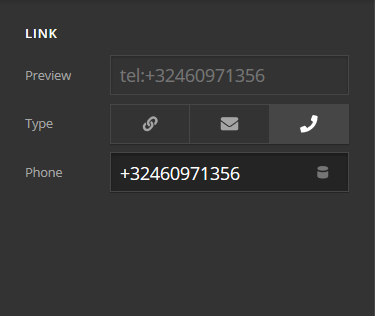
But it still looks like an error to me:

So the Phone option is selected, and the phone number below is shown, as it should.

However, I had the tel:tel:+32460971356 under the Link option. I am not sure how it got there. Probably by my error. It was hidden because the Phone option was selected.

Shouldn’t the link url be ignored if filled and not used? The phone number should take precedence and ignore whatever is under the Link url.

Thanks!

Hi @Misho,

Thanks for reaching out.

I’m trying to reproduce this but it’s not happening, as soon I type tel, it automatically switches to phone option instead of the link. Then I tried saving it as a link first and it’s not concatenated to the phone URL either. I’m not sure if this is a bug or just isolated to your saved data, or is there a procedure we could use to repeat this issue?

Thanks!

Hi,

I cannot reproduce it now either. If I find out, I will let you know!

Thank you!
Miroslav

Hi Miroslav,

I’m another staff tried to produce this issue, but I couldn’t. In case if you were able to reproduce this issue again, please make sure to provide the steps on how to reproduce it. So that we can test it on our end and submit it to our issue tracker.

Thanks!

This topic was automatically closed 10 days after the last reply. New replies are no longer allowed.