Hi,
I’m using the Ethos stack, and would like to switch the position of the comments, and the ‘about the author’ bio box, at the end of each post. I’d like the comments to display first, and the author bio afterwards. What’s the best way to do this?
Hi There,
To achieve that please add this css in X > Launch > Options > CSS.
.x-comment-img {
    float: right;
}

.x-comment-content-wrap {
    float: left;
}
If it doesn’t work please send us your website/page URL so that we can have a look and suggest you a solution.
Thanks
Hi,
That didn’t work, but I’m not sure you understood what I was after. I’ve put together a couple of images that might help – the first is how it looks now, the second is how I’d like it to look. The URL of the post I created them from is https://toomanyadapters.com/glocalme-g3-mobile-hotspot-review/
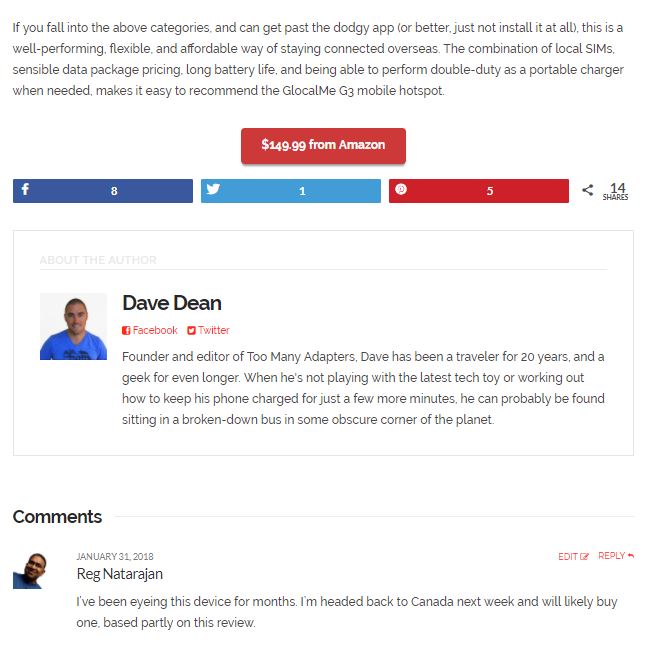
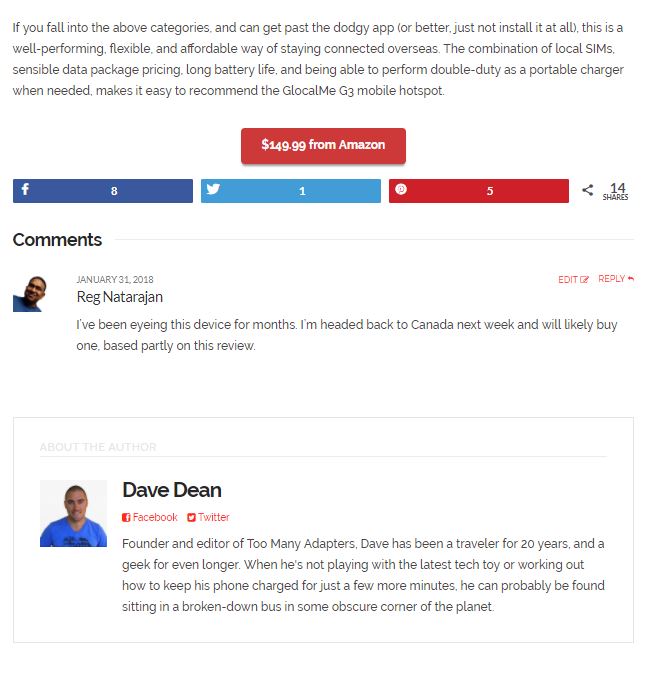
Hi There,
Try adding the following Javascript code into your Theme Options > Global Javascript area.
jQuery(function() {
 jQuery( ".single-post #comments" ).insertBefore( ".x-author-box.cf" );
});
Hope that helps.
That seems to have worked – thanks! I’ll need to add some top padding around the bio box, but otherwise it looks good. 
We are delighted to assist you with this.
Cheers!
This topic was automatically closed 10 days after the last reply. New replies are no longer allowed.