Superfly search bar is too fat and close button on wrong size and social icons not display

Hey there!

Because my website is in hebrew (RTL - right to left) the superfly is a little buggy.
the search bar is too fat, and the “X” Close button on the other side and its bar is too fat as well,

Also the Social icons do not display

Can this be fixed please?

Hi,

The social icons are hidden because you are using a plugin called “Use Any Font” and its font is overriding the Social Icons font used, to correct this please add this CSS snippet to (X > Theme Options > CSS):

#sfm-sidebar [class*=sfm-icon-] a, #sfm-sidebar.sfm-indicators .sfm-sm-indicator i, .sfm-view-level-custom:before {
    font-family: sfm-icomoon!important;
}

To reset the height of the search bar in superfly menu, please use this CSS snippet:

.sfm-nav input.search-field {
    height: inherit;
}

I’m not sure which “X close” icon exactly you mean, but if you mean this one showed in the screenshot here:
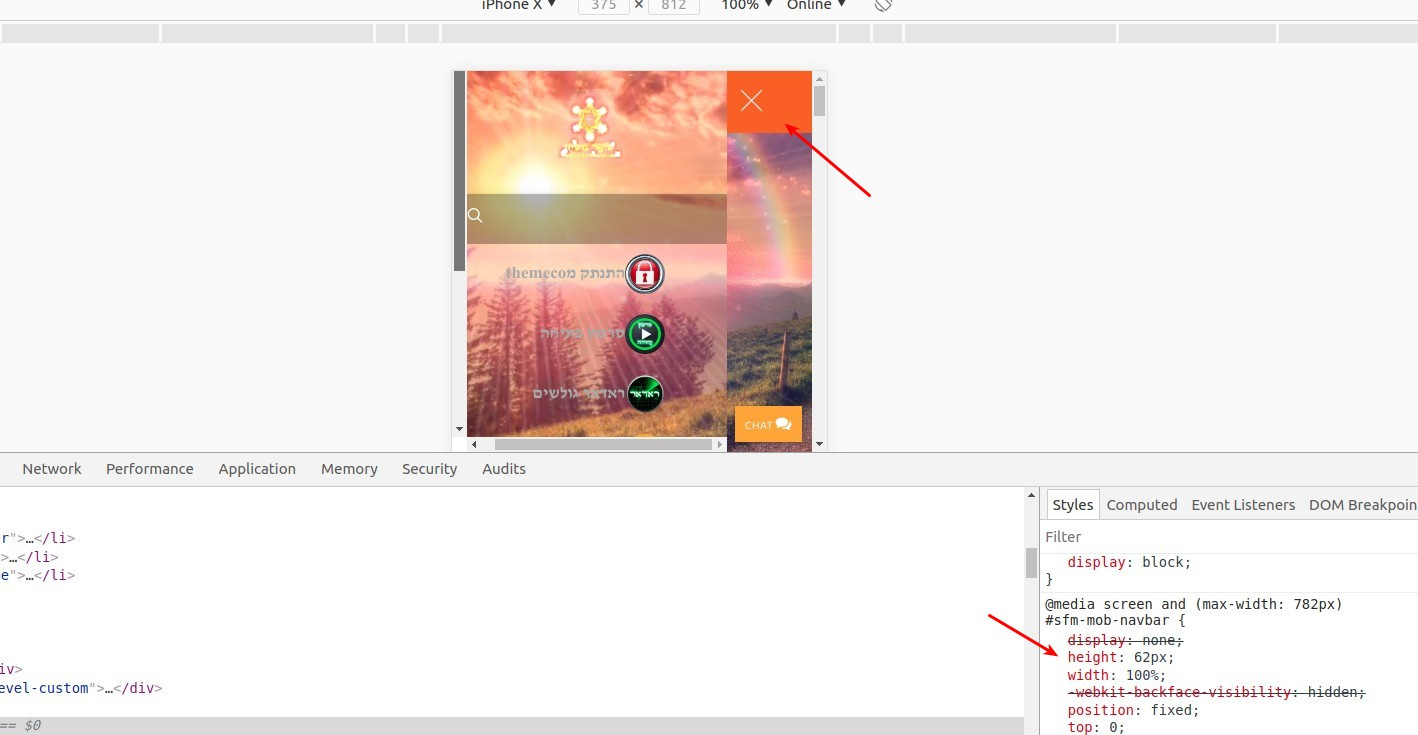
Then, you can check the CSS code pointed in the screenshot as I believe you have added this snippet once before in the Theme Options > CSS, if so, then you can just adjust the height from there.

Thanks.
1 Like

Thank you very much!

I am also trying to align the inner menu to be more to the right so the search bar icon will be shown
like this: http://prntscr.com/jeulhs

i have added the code:

#sfm-sidebar.sfm-compact .sfm-va-middle, .sfm-style-full #sfm-sidebar .sfm-va-middle {
    width: 250px;
}

and it worked but when i press then on the “X” close button it refreshes the page and go to homepage.

any suggestions?

Hi there,

What browser you’re testing it with? It appears in your screenshot that the logo and close button is overlapping. But not on my end, hence the close works okay. Perhaps you already fixed it?

Thanks!

1 Like

i fixed it, thanks!!

You are most welcome. :slight_smile:

1 Like

This topic was automatically closed 10 days after the last reply. New replies are no longer allowed.