Superfly Menu, odd behavior in Pro builder

Hey all,
Just wanted to bring this issue to your attention and also make a suggestion for a feature that I think would be really useful. The issue is that when Superfly menu is activated, the experience in the builder gets really buggy. For example, when rolling over an element like Text, there is a smooth animation that flows from the last element registered by the rollover to the one you are moving towards. At first, this seems sort of neat. But once you try and move the element to another row or section, you can see that there are real problems with it.

I have attached a video here so show the problem in action…

Also, here: https://vimeo.com/366523762

Now, the suggestion I have is to make a way for Pro to disable plugins for the builder experience only. A way to say to the system, “if we are in https://sitename.com/pro/*, do not load any code for this plugin”. This seems to me to be a way to eliminate the sort of conflicts that might arise with the builder but not necessarily with the end-user experience. I am not sure what is possible with that but I thought I’d bring it up.

In the mean time, any ideas about a way to solve my issue with Superfly in the short term (other than what I’ve done in the video)?

Thanks!
Hi, @simeoned,

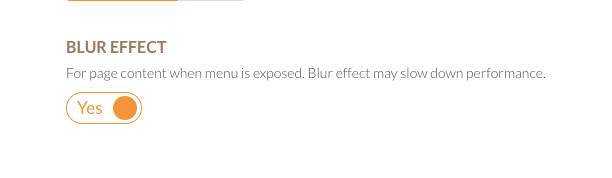
Thank you very much or taking time to bring our attention to this issue. The problem is indeed from the CSS code of the SuperFly when the Blur Effect is enabled:

I spent some time and found the solution below. Please kindly go to X/Pro > Theme Iptions > CSS and add the CSS code below:

body.sfm-blur>*, body.sfm-sidebar-push>*, body.sfm-sidebar-sub-push>* {
    transition: none;
}

That will do the trick. Meanwhile, it is an excellent suggestion that you have about the case, but just want to give you the implementation problem, it will require us to go over all the plugins, and they are a handful of them, and detect their assets one by one and disable them. It will be a vast resource and energy expenditure.

I totally agree that it is essential to have a smooth experience; for example, that is why the Revolution Slider and Essential Grid preview feature is disabled in the builder. We will certainly look into the case, at least for the plugins that we offer as bundled ones.

Thank you very much.

Thanks @christopher.amirian for the research you did to discover a workaround. Adding this css to my child stylesheet did do the trick. However, the blur effect you mention has never been turned on so that can’t be what was causing this nor can it be what your code ultimately fixed here. I wonder if it is worth looking into a little more to see why this is the case.

Just to add this to the discussion… shouldn’t the css be more limited to the builder like:
.body.sfm-blur .ember-view iframe{transition:none}

or similar?

I see your point about the implementation problem and recognize finite dev hours need to be allocated appropriately. It was just a thought really but one I think would be worth pursuing even with a limited scope in mind.

Hey @simeoned,

You’re most welcome.

It is best to use this code than the one you have suggested:

body.sfm-blur *, body.sfm-sidebar-push *, body.sfm-sidebar-sub-push * {
    transition: none;
}

Removing the > will make sure that the css will be implemented for the rest of the child elements.

Hope this helps.

This topic was automatically closed 10 days after the last reply. New replies are no longer allowed.