Super large text size with no ability to scroll

Hi there,

In an effort to become GDPR compliant, I have installed GDPR compliance and GDPR plugins. I know that technically plugins are not handled by X however I think this problem is a X setting issue that I can’t figure out on my own.

These plugins both ask for my privacy policy. When I provide it, the plugin tries to activate however what I am left with is gigantic text and no scrolling option. See below. I assume this is a simple setting issue for the font size however when trying to figure this out on my own, I can’t seem to get it. see below:
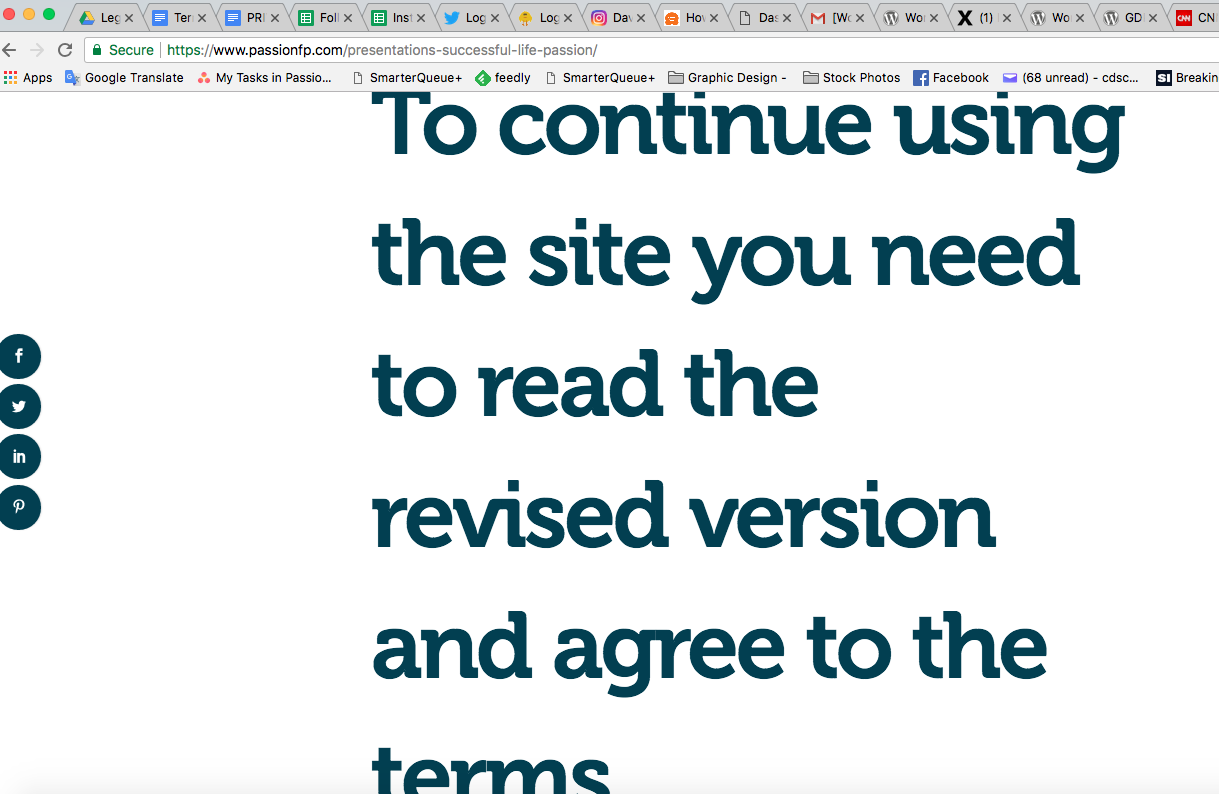
Could someone please advise. I would very much like to use the plugin however, without being able to properly link to my privacy policy it would seem difficult.

I look forward to some help.
PS presently this option is disabled on my site otherwise the site would not be able to be properly accessed.
Hi There,

Can you please send the page URL where you have the issue. Seems I didn’t find on your site.
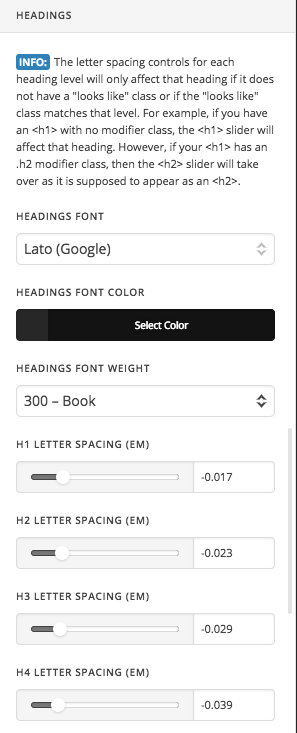
If it is a heading font you can always change it via Theme Option -> Typography.

Or if it’s coming from a custom plugin or popup you can use custom CSS to make it small.

Please send us the URL of the page so that we can have a look and suggest you the possible solution.

Thanks

Thanks for the insight. I had disabled the setting because it renders my site useless while it is active. However, I have activated it for you to take a look.
https://www.passionfp.com/contact/

Also if it is a typography issue, which typography setting would I adjust? There are many to choose from. What would be a typical setting for a heading font? Sorry for so many questions.

Hi @kurisu777

This is how I can see your page now:

I couldn’t see this text you have mentioned, did you try switching to the default WordPress theme to know if this is a theme related issue or not? I suggest doing so.

Keep us updated,
Thanks.

I believe the action is based on a visitors second visit to the site. Could you try visiting the same page again and let me know what happens?

I did that so many times, I even reloaded the page in the video screencast, but I didn’t see it.

How about the theme conflict test?

Thanks.

hmm. How would I do the theme conflict test?

as I mentioned here:

I couldn’t see this text you have mentioned, did you try switching to the default WordPress theme to know if this is a theme related issue or not? I suggest doing so.

The safest way to do that is to install “Health Check” plugin and enable “Troubleshooting mode”, doing that will enable the default WordPress theme and disable all plugins (you can choose which one to enable later) . The good thing about “Heath Check” plugin is that it’s developed by WordPress team and it only affects your logged in session so that other visitors won’t be affected.

Thanks.

Strange, I can’t understand why it only happens on my computer. On my iPhone nothing happens.

Hi again,

I checked your site and couldn’t replicate the issue on my end either. Your site looks normal even after revisiting the site. This could only be your browser’s cache issue as I see you’re using a cache plugin as well. Please clear your browser’s cache and your plugin’s cache as well and then test your site again.

Hope this helps!

I did the health check and the problem did not show.
I cleared the plugin cache and browser cache and the problem persists.

What about the Typography settings in Appearance? Which ones could I look at for that?

Hi @kurisu777

I’m afraid without seeing the problem we won’t be able to know which option exactly you need to change in the Typography settings.

If this issue can be seen while logged it, could you please provide us with WordPress Dashboard login details in a “Secure Note” so we can investigate this issue.

Thanks.

I just included a secure note in a previous reply. Also, I just tried this on a different computer at work. No problems. Only my home computer produces this problem it seems. I def. cleared the cache on that computer multiple times.

Hello There,

I have logged in and I encountered the issue shown in the screenshot. The only way to get around this issue is to change the font size of the GDPR notice without affecting other title tags. Please add the following CSS code in the X > Theme Options > Global CSS (http://prntscr.com/evui3r)

.gdpr-reconsent-modal .gdpr-reconsent-modal-content h3,
.gdpr-reconsent-modal .gdpr-reconsent-modal-content h4 {
    font-size: 20px !important;
}

Please let us know if this works out for you.

Awesome! That worked! Thanks for sticking with me and helping. I really appreciated everyone’s patience! :smile:

You’re more than welcome, glad we could help.

Cheers!

This topic was automatically closed 10 days after the last reply. New replies are no longer allowed.