Supefly closing X

Hi there!

I am using Superfly menu (and have in the past as well). For some reason the closing X on my page floats to the right instead of the left as it usually does. I can not find anywhere in the settings how to change this. Any ideas?

https://anywhereoutside.com

Best

/Tomas

Hey Tomas,

There’s no option to change the Close button of a Fullscreen layout. The left positioned close button is only applicable to Side Panel and Skewed Panel layout options.

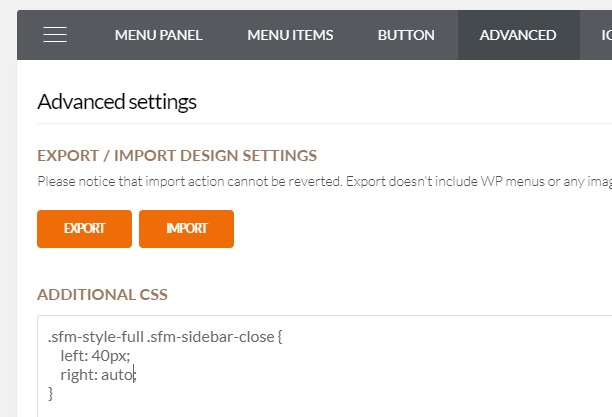
You can override the CSS that’s responsible for that though. Below is the CSS that should be added in Superfly’s Additional CSS.

.sfm-style-full .sfm-sidebar-close {
    left: 40px;
    right: auto;
}

Hope that helps.

Nice, that worked very well!

Is there an easy fix with CSS for tweaking the position and the size as well so that it aligns better with the burger menu?

/Tomas

Hello Tomas,

Please have your code updated and use this:

.sfm-style-full .sfm-sidebar-close {
    left: 10px;
    top: 10px;
    right: auto;
}

Please let us know if this works out for you.

Hello!

Yes, that worked out very well!

Thank you for the awesome support!

Have a great weekend

/Tomas

You’re always welcome Tomas!

Have a great weekend too.

Cheers!

This topic was automatically closed 10 days after the last reply. New replies are no longer allowed.