Sumbenu font change

Hello guys
me again
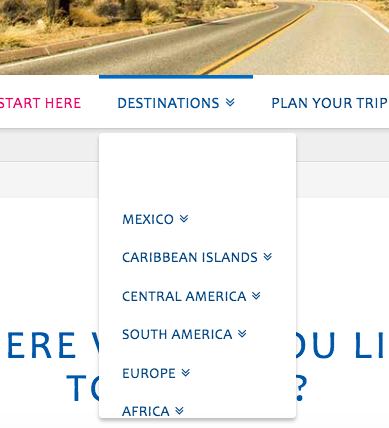
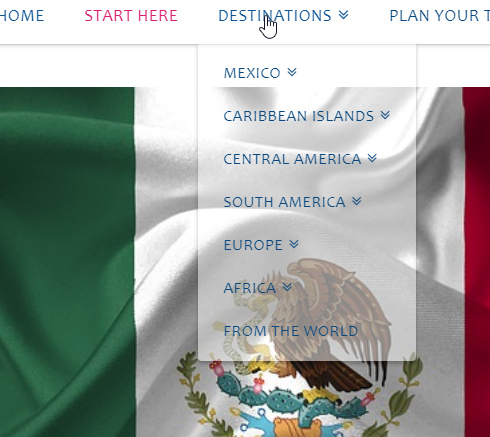
I had some changes in the fonts. But it didn’t include the submenu. so I added a custom CSS in a code that was already in place for the submenu. I thought I would just add the font that that would be fine but it doesn’t work.

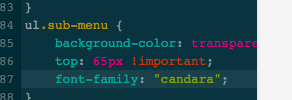
here the screen shot. in the code that you are seeing I just added the “candara” font line . the rest was already there…
in the second screen shot you can see the difference between menu and submenu…
could you please help me ?
thanks a lot
cheers
Hi Isabella,

Thanks for the detailed post information. Your code will not work because it will just be overridden with another code. Please have it updated and use this instead:

.x-navbar .desktop .sub-menu a {
  background-color: transparent;
  top: 65px !important;
  font-family: "Candara", serif;
}

Please let us know if this works out for you.

@RueNel hey there!

thanks a lot. It worked for the fonts but the text is displaced down, living lots of space in the top part.
see screen shot.

can we fix that?
thanks
cheers
ps did I have to delete any other code?

thanks

Hi There,

Please update the previous CSS to this:

.x-navbar .desktop .sub-menu {
  top: 58px !important;
}
.x-navbar .desktop .sub-menu a {
  background-color: transparent;
  font-family: "Candara", serif;
}

Hope it helps :slight_smile:

great thanks a lot :slight_smile:

You’re most welcome!

1 Like

This topic was automatically closed 10 days after the last reply. New replies are no longer allowed.