Hi. I am using the latest version of X-Theme and can’t find how to do two things.
-
I want submenus to show on scroll-over without having to click
-
I need the submenus to align right instead of left
What CSS would I use?
Hi. I am using the latest version of X-Theme and can’t find how to do two things.
I want submenus to show on scroll-over without having to click
I need the submenus to align right instead of left
What CSS would I use?
Hi There,
Thanks for writing in!,
I checked above site and the the submenu is coming on hover instead of click. I am not sure if we both are in same page. I have attached a screenshot for the menu.
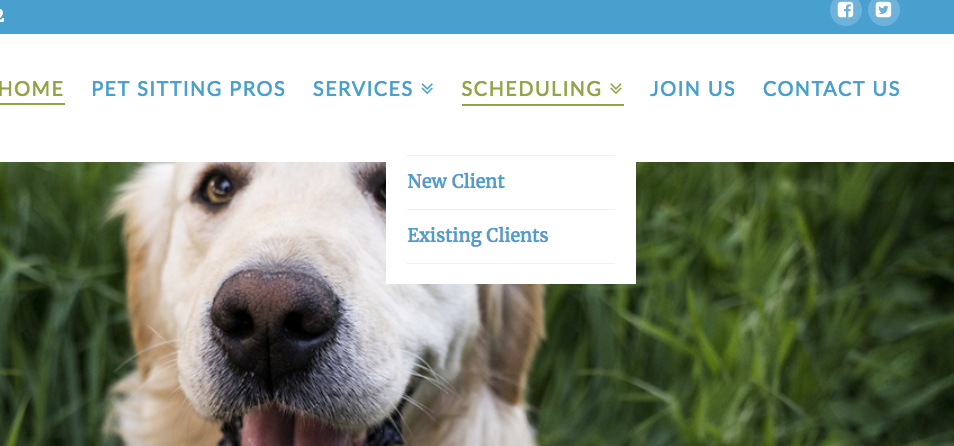
Regarding the menu alignment please add this css code to your custom css it will work.
.masthead-inline .x-navbar .desktop .sub-menu {
left: auto !important;
right: 0 !important;
}
Thanks
The code does not seem to work to align the submenu text to the right
Also, Istill seem to have to click for the submenu. I’m using Chrome and Firefox
Hi There,
Submenu is showing on hover on both browser when I check too. See this: https://screencast-o-matic.com/watch/cb6DiGIJ8A
For the submenu text, please use this instead: https://screencast-o-matic.com/watch/cb6DiLIJ8K
.desktop .sub-menu li {
    text-align: right;
}
As you can see, submenu link hover color is the same with your background that is why when I hover, we can’t see it. You may want to add this CSS to change it:
.x-navbar .desktop .sub-menu li > a:hover {
    color: red; /*Change red to your preferred color*/
}
Hope this helps.