**Subject: Critical PHP error in Pro theme - functions.php line 72**

Hi all,

Our website, westcreative.co, has developed a critical PHP error which has prevented access to the WordPress admin area. Our hosting provider, 34SP, has investigated and identified the following error:

PHP Parse error: syntax error, unexpected token "<", expecting end of file in /wp-content/themes/pro/functions.php on line 72

They also identified PHP warnings relating to The Grid plugin, which they temporarily deactivated. However, the critical error persisted. 34SP then temporarily switched the website to a default WordPress theme, which restored access to the admin area. This suggests the issue is associated with the Pro theme.

The theme has been installed for some time and was previously working.

Could you investigate what is causing the error and advise how we can safely restore the Pro theme?

I’m particularly interested in understanding whether this is a PHP compatibility issue, a corrupted theme file or something else.

I’m happy to provide temporary administrator access through a Secure Note.
Hello @westcreative,

Thanks for writing to us.

Please add the code below to your wp-config.php file to enable debugging. The errors will be logged in the debug.log file inside the wp-content folder.

If you find any errors related to our theme or bundled plugins, please let us know so we can investigate further.

// Enable WP_DEBUG mode
define( 'WP_DEBUG', true );

// Enable debug logging to the /wp-content/debug.log file
define( 'WP_DEBUG_LOG', true );

// Disable display of errors and warnings
define( 'WP_DEBUG_DISPLAY', false );

// Set PHP ini display errors to false
@ini_set( 'display_errors', 0 );

Here is a video that shows how to edit wp-config.php and add the code above: https://www.youtube.com/watch?v=3SDPTafEM8o

Please share the FTP details and admin login details in the secure note so that we can debug it properly.

  • WordPress Login URL
  • Admin-level username and password
  • FTP login details

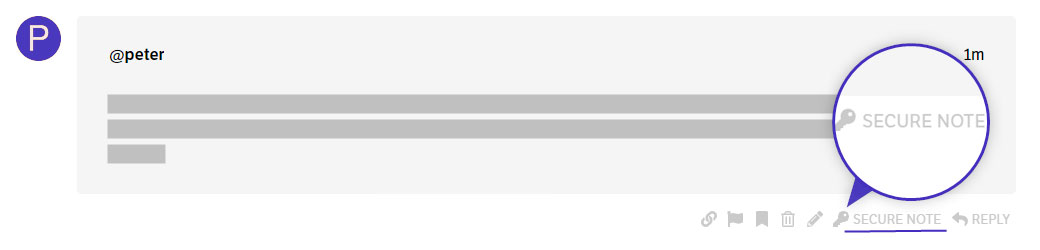
You can find the Secure Note button at the bottom of your posts


Thanks