No matter where i open a color panel in the editors (both content editor, header editor and footer editor) the color panels are skewed like this.
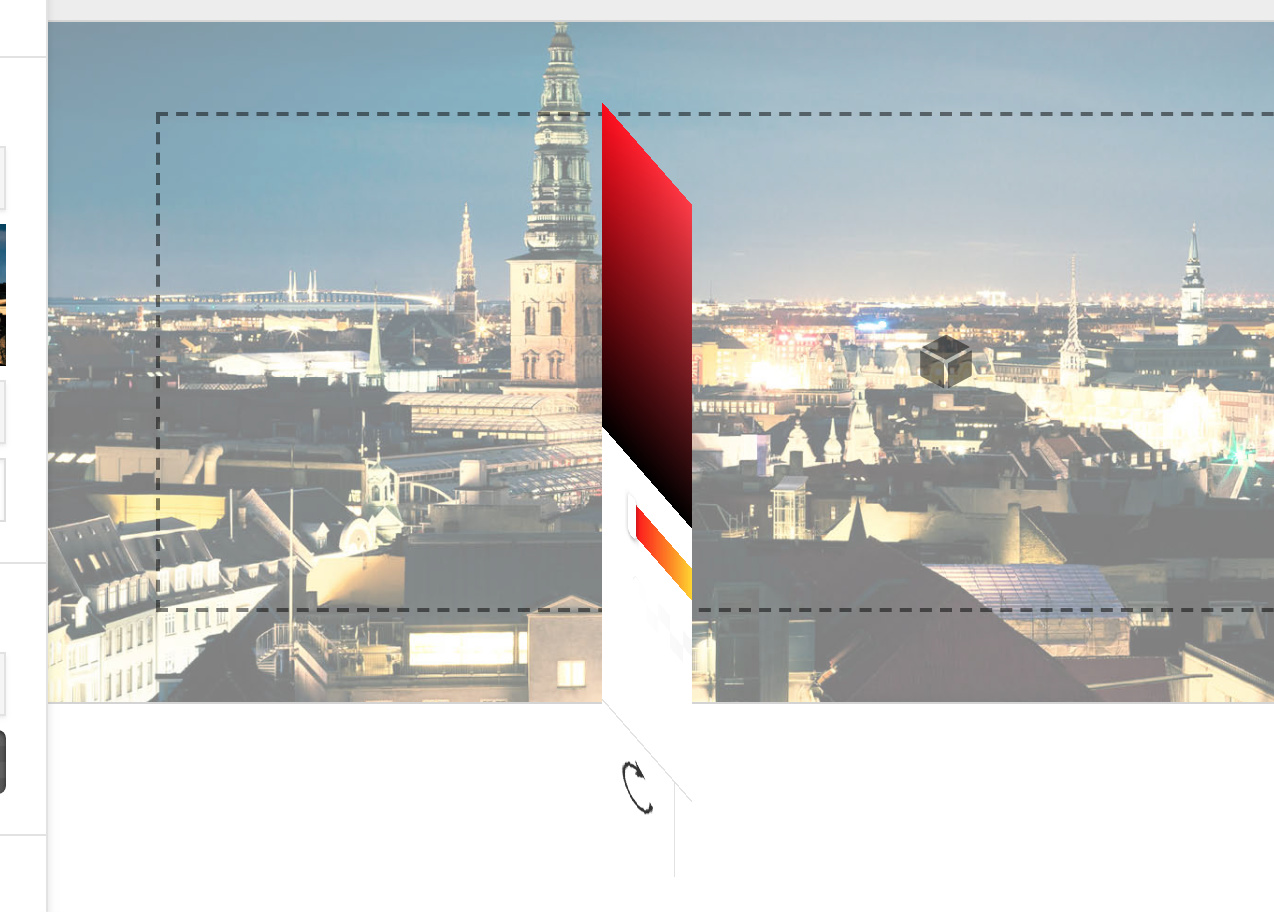
I’m using the newest version of chrome, the newest update from Mac OS and i have tried to remove cache both from chrome and from my wordpresss cache plugin.
I wrote to you earlier about this problem. Here’s what you said:
Hello @coedam,
Thanks for writing in! 
I can see that you’re using an old version of Pro and Cornerstone. I suggest you first update your theme to the latest one.
This article was last updated on the February 28, 2018. Before updating, please read through this article. If you’re having an issue after updating, we would advise double-checking the points below. Update Cycle Whenever a major update is released, we start by making it available on your Dashboard page for download. This can be used for new installations, or manual updating. The release is pushed to automatic updates after some time which allows us to address and potential issues that weren…
Also, kindly increase the PHP memory limit of your server. You can follow the guide here:
To be able to use any software with no problem there are minimum requirements that are required for the software to work properly. Our themes and builders are no exception regarding this matter. One of the prerequisites of our themes and builders is the PHP Memory Limit settings in the hosting service provider. Our recommended value for the PHP Memory limit is 512MB or higher. Depending on the other plugins that you use and they need that memory as the resource too you may need to have a value…
Thank you.
I have updated everything now and increased the PHP memory, but it still don’t work.
Any ideas on how to fix this?
(can’t find the option to hide these informations here in the editor)
Thanks

