Strange o's and u's on Chrome - iMac

Hi there,

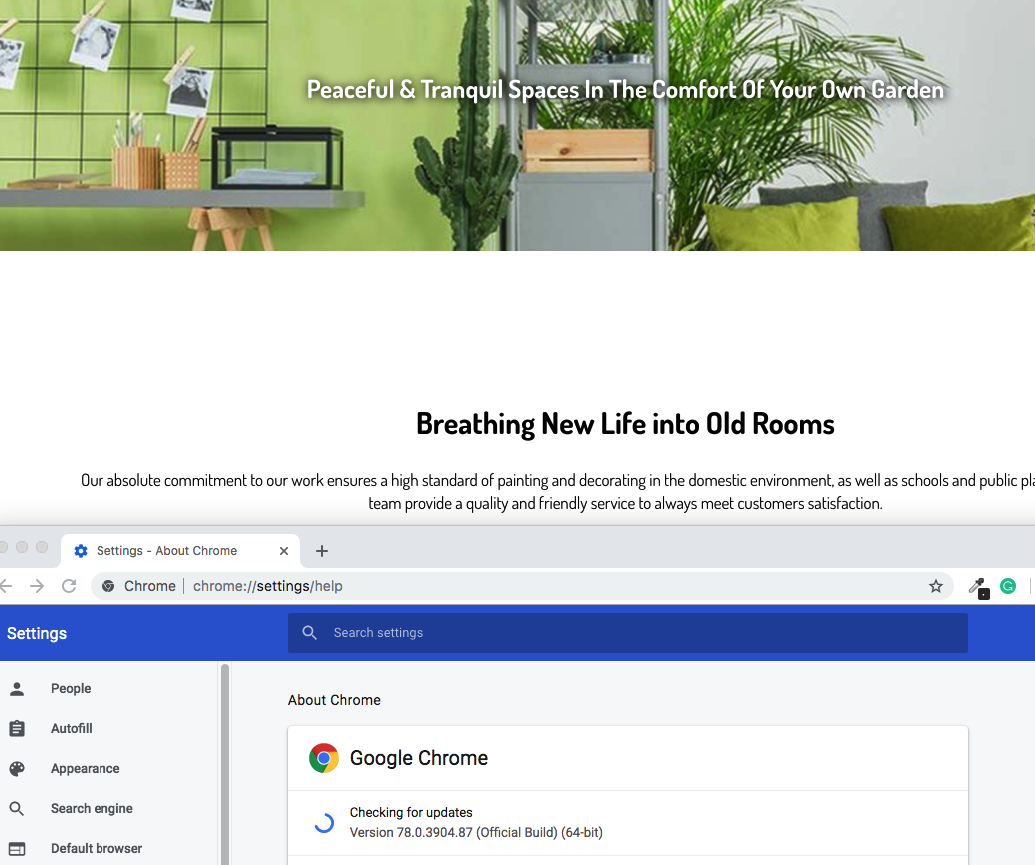
I was wondering if you could help me get to the bottom of something? I have a website that behaves fine on all browsers and devices, except for Chrome on an iMac. Instead of the copy, I am seeing lots of o’s and u’s, like the browser cannot read the font. It was just a font that came packaged with the theme, nothing special used here. I have attached images for what I can see and have also added the link below.

Any advice appreciated.

Hello Jayd K,

Thanks for writing in! It appears that you are using an older version of the theme. Pro 3.0.4 is now available in automatic updates! This release contains fixes for several issues, like you have mentioned above, so be sure to check out the changelog (https://theme.co/changelog/). Please do update to the latest version.

After doing the updates, always remember to clear all caches since you have installed WP Fastest Cache so that the code from the latest release is always in use. This will help you to avoid any potential errors.

And please clear your browser cache too. You may use private browsing mode in testing your site to make sure that you are viewing the latest codes from the updates and not the cached version in your browser.

Hope this helps.

Hi there. I have updated the theme, cleared my WP fastest cache and also the browser cache, the issue remains. Please advise.

Hello Jayd K,

I am using Chrome on a Mac and I am not experiencing the issue. This is what I am seeing:

Please test your site on another machine and see how it looks.

This topic was automatically closed 10 days after the last reply. New replies are no longer allowed.