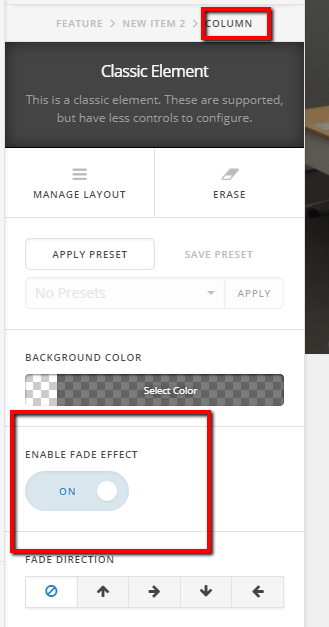
Is there a way to stop items from appearing as a user scrolls down the page for the first time? We have set up services page (http://dobil.com/newsite/index.php/services/ – password is d0b1l) as a feature box with with classic feature boxes and classic text for each service, but only the first 2 rows appear when the page loads until you start scrolling. Once you start scrolling down the page the other rows appear. Is there a way to make all of the rows appear as soon as the page is loaded?
Cornerstone is up to date as well as the theme itself.