Hi, I have same trouble as this post.
I deleted the plugin folder, and Cornerstone did re-install. However the problem remains.
It’s not validating
Hi, I have same trouble as this post.
I deleted the plugin folder, and Cornerstone did re-install. However the problem remains.
It’s not validating
Hello Zac,
Would you mind mentioning the error message you are getting when you are trying to validate X?
I have checked the license that is in your account and you seem to have an X license so you will have to use that license to validate X and not a standalone Cornerstone installation as that would fail the validation.
If you have an X license in your account and you are seeing this in the admin area of the site upon validation:
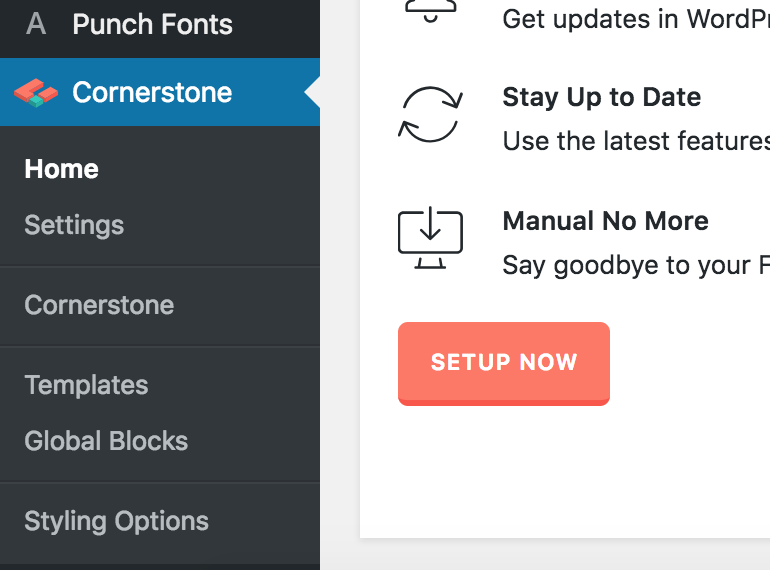
then you will have to go to Appearance > Themes then enable X so that you could validate from here:

In case you already have activated X and the validation fails, please provide us with the license key and the admin access of your site in a Secure note so that we can check it.
Hope this helps.
Hi Zac,
If you’re using X theme, the Cornerstone should not ask for validation.
This Cornerstone panel should not be here in the first place.
The problem here is you renamed the X theme folder.

Please login to your server via FTP or cPanel File Manager, then navigate to \wp-content\themes and rename your X folder to just x
Then navigate back to your Wordpress Dashboard > Appearance > Themes and activate the X theme. If the X theme asks for validation then validated it using your X license.
Hope it helps,
Cheers!
This topic was automatically closed 10 days after the last reply. New replies are no longer allowed.