Stacked slider background transparency

See here: https://kosmonautdesign.com/lena/

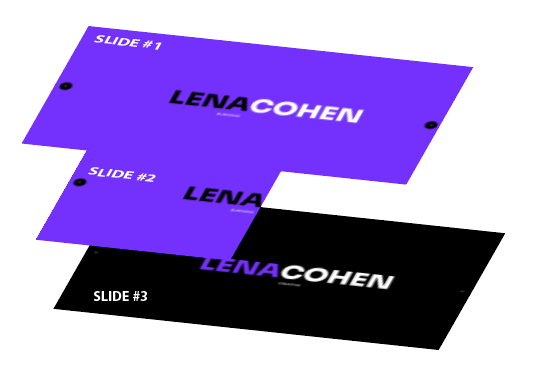
I have a stacked slider setup. That starts on slide #2.

#2 Is set at 50 vw. Purple background.
#1 Is 100vw purple background
#3 Is 100vw Black background

I have the #2 slides background set to purple, so if its set to 50vw, how come the right side isnt transparent, and showing the #3 slide below?

Hey @Oriol,

Thanks for writing in!

Your 2nd slide has a width of 50vw. The second half of the 2nd slide shows the background color of the page, which is white.

What should be your expected display for the 2nd slide? Could you please provide a mock layout or an example page so that we will have the idea of what you are trying to accomplish?

Best Regards.

I just want to know if that can be transparent, instead of showing the page, I want it to show slide 3…if you go to the page and slide to the right, that is how it should look underneath…

image

Hello @Oriol,

What you are trying to do is NOT possible because when a slide is active, all the other slides are hidden. This is why when Slide #2 is active, Slide #3 is not visible.

In your Slide #2 element settings, you should use the Advanced Background option and set the Upper and Lower Colors to Black and Purple. For example:

I’d love to set up a demo for you if you want to. Thanks.

Gotchya, and thanks for the workaround.

You are most welcome @oriol

This topic was automatically closed 10 days after the last reply. New replies are no longer allowed.