SSL Troubleshoot

Hi,

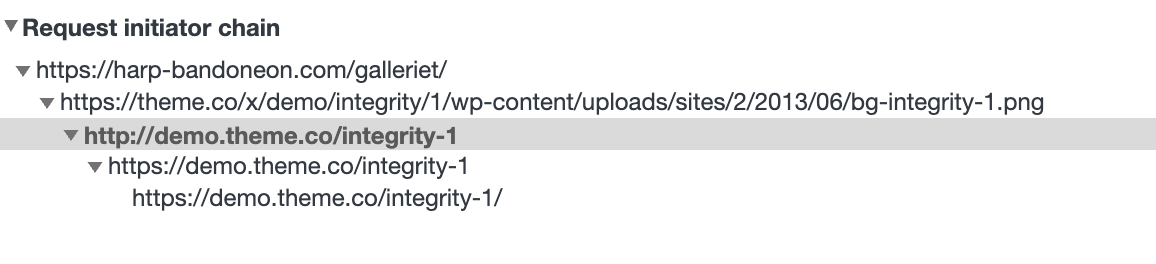
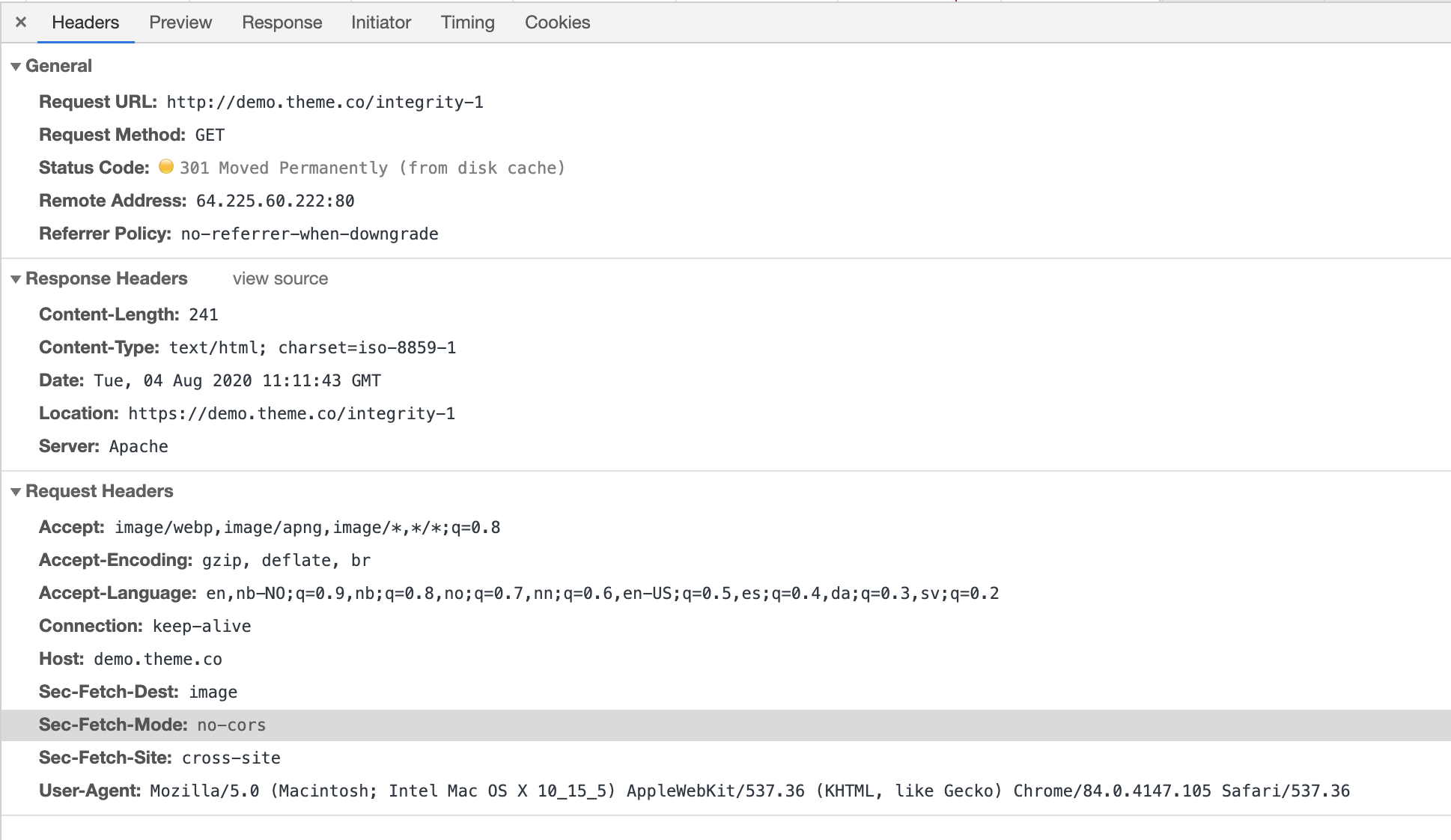
I have had some issues with my SSL lately, namely that the browsers only deem some of the pages on my website safe. I did some troubleshooting through the developer tools of Chrome, and it seems like the problem is rooted in some reference to the integrity theme on the themeco website. My website uses the integrity theme.

Here are two screenshots of what chrome was able to come up with for me:
https://harp-bandoneon.com/wp-content/uploads/2020/08/Screenshot-2020-08-05-at-18.02.36.png
https://harp-bandoneon.com/wp-content/uploads/2020/08/Screenshot-2020-08-06-at-07.19.06.png

The website in question is the one hosting these images. The home page is among those which are not deemed safe.

Any help will be much appreciated!

Best regards,
Andreas Rokseth

Hey Andreas,

None of our products is connected to the SSL setup and our scope of our support is only for our products.

With that said, regretfully, we can’t assistance for this case. It’s best that you consult with a local I.T. or developer in your area.

Thank you for understanding.

Hi Christian,

Thanks for the quick reply.

So in essence I’m not asking you to help me set up SSL as much as I am asking you to help me stop the themeco code to prevent me from doing so. I have now identified the problem in the “x-generated-css”, specifically the url that is called upon here:

body{font-size:16px;font-style:normal;font-weight:300;color:rgb(64,64,63);background:rgb(250,250,250) url(//theme.co/x/demo/integrity/1/wp-content/uploads/sites/2/2013/06/bg-integrity-1.png) center top repeat;}

How could I write a new piece of css code to get rid of that URL, or how could I remove it from my child-theme to begin with?

Hi Andreas,

Your site is trying to load an image directly from our demo site as a background image of the body.
That is why the mixed content error is showing at the console.

To get rid of this issue please Go To X/Pro > Theme Option > Layout and Design and delete if any images attached.

Hope it helps.

Thanks

Thanks a lot! There were no images attached in the UI. But by uploading one and then removing it the problem was solved.

We are delighted to assist you with this.

Cheers!

This topic was automatically closed 10 days after the last reply. New replies are no longer allowed.