SSL Certificate

Hey guys!

So ive installed an SSL certificate for a customer, and changed the media library so it fits etc.

Everything is up to par, except that 2 images that the theme wants to search for still.

http://media.coloramanorrkoping.se/2018/01/Colorama_nrkpg_new_logo-1.png
http://media.coloramanorrkoping.se/2017/10/colorama_bg.jpg

They are searched for by the theme somewhere and thus the page does not have full SSL protection.
i have deleted them and tried to find all the places that the link can exist.

IS there any smoother way to do this, to get that img link deleted?
or do you have a better way of fixing this.

Page is : coloramanorrkoping.se, i have entered login info in a secure note.
Thanks in advance.
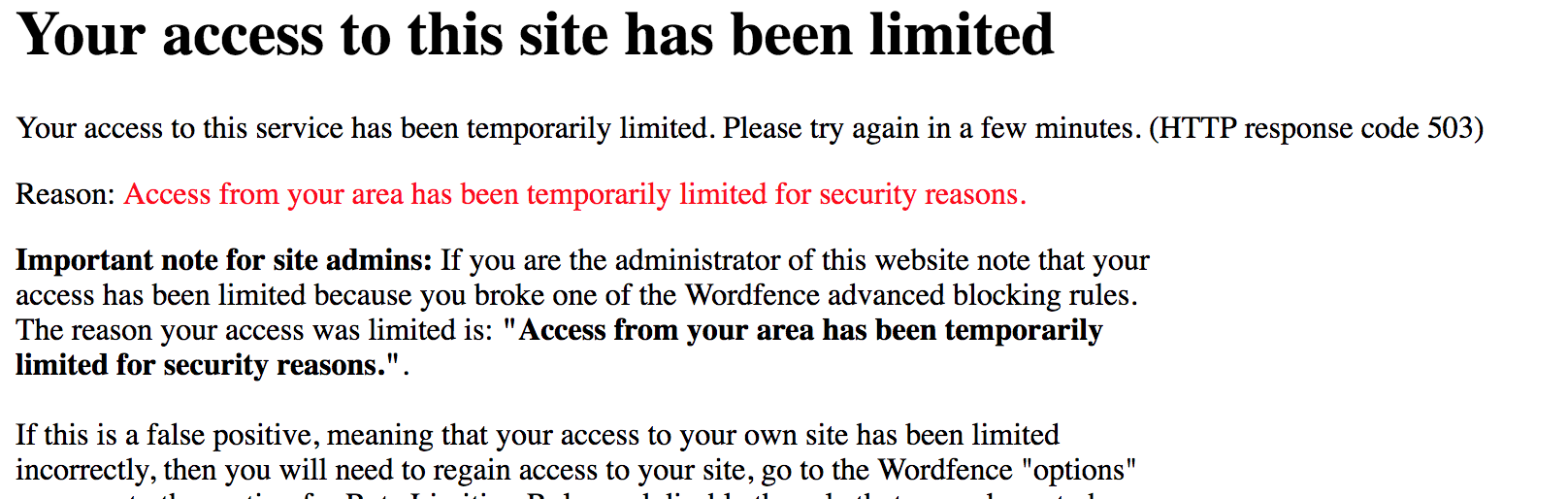
Hi There,

Thanks for the details!
Seems you have security setup on your website to prevent access in certain countries.

Please disable the security setup so that we can check.

Thanks

Disabled, sorry for the inconvinience =)

Hi,

I am sorry but we still could not access your site.

i inactivated the whole WordFence security plugin for now, so there should be no issues now.

Hi @DCcomm,

I’m able to access the login page now, but the credentials are wrong. I tried different combinations and capital letters and still no luck. Please provide the correct login credentials.

Thanks!

try again with the same credentials =)

Hello There,

I have logged in and managed to resolve the issue. I installed WP Migrate DB and used the search and replace feature of this plugin. I’ve searched for http://coloramanorrkoping.se/wp-content/uploads/, replaced it with https://coloramanorrkoping.se/wp-content/uploads/. I temporarily disabled your WP Super Cache and tested your site. It should be fine now.

One last thing you need to do is to edit your custom footer and replace the image logo.

Please let us know how it goes.

Works fine now, thanks alot!

You are most welcome!

This topic was automatically closed 10 days after the last reply. New replies are no longer allowed.