Is there an option that I’m not seeing to control the spacing above the logo on mobile? I would like to take it down a bit so there isn’t so much white space. Sample image attached with red X in the area I’m talking about.
Thank you!
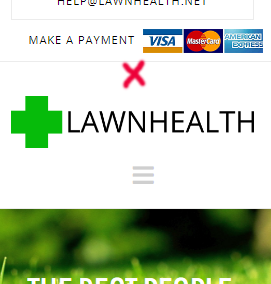
Is there an option that I’m not seeing to control the spacing above the logo on mobile? I would like to take it down a bit so there isn’t so much white space. Sample image attached with red X in the area I’m talking about.
Thank you!
Hi There,
Thanks for writing in!
Please add this CSS to your Theme option -> global CSS and Let us know how this goes!
@media (max-width: 979px) {
.x-brand {
font-size: 73px !importrant;
}
}
hope this helps!
Thanks
This topic was automatically closed 10 days after the last reply. New replies are no longer allowed.