
How do I increase the space between the icon and the headline text (Internet)? CSS hack?
Hi @jonasdbj,
Thank you for reaching out to us. If you’re using the Headline element with Graphic Setup enabled then increase the Graphic Bottom Margin (see screenshot)
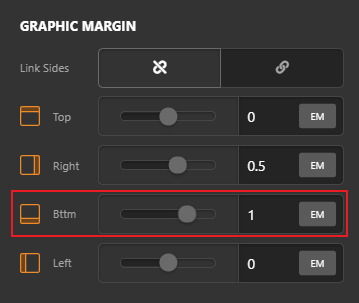
If you’re not using the Headline element then I’d suggest you to use the Headline element and enable the Graphic Setup and make sure to set the Child Placement option to Column under Text Content Flexbox setting:
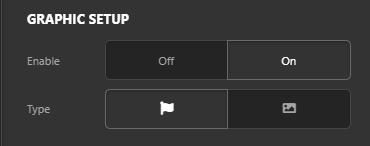
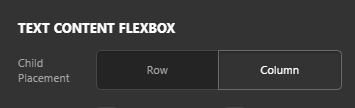
Then you can increase the Graphic Bottom Margin to increase space between the icon and the headline. Hope this helps!
Thanks! Feel like an idiot now. I’m dead sure I did not find the “Graphic margin” setting but, well yes, there it is. Need to clean my glasses 
Glad that we could be of help.
Cheers!
This topic was automatically closed 10 days after the last reply. New replies are no longer allowed.