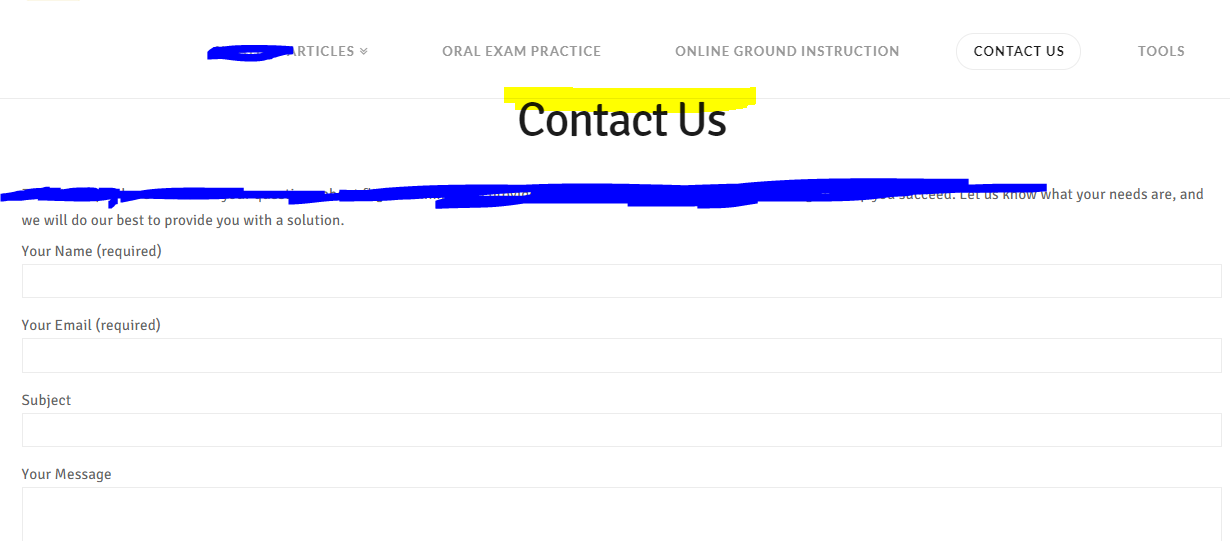
Spacing above entry header/H1 went to zero

I don’t remember making any changes that seemed to make this issue occur. I’ve highlighted in yellow where there used to be space.

Is there a setting I should check, or what global CSS should I add to get spacing back above the page title / entry header / H1?

Thanks!
Hello Mike,

The issue is caused by the items in your main navigation being more than the space left for them do be displayed inline to the logo which makes it fall to the second line causing some content below it to be covered.

Try adding this to the Global CSS of your site:

.x-navbar .x-navbar-inner .x-container.max {
    max-width: 1300px;
}

Here are some related links for further reading:

Hope this helps.

This topic was automatically closed 10 days after the last reply. New replies are no longer allowed.