Spacing above and below slider and others

Hello, I trust you’re doing well.

I had written about this but I’m afraid I haven’t been able to figure it out.

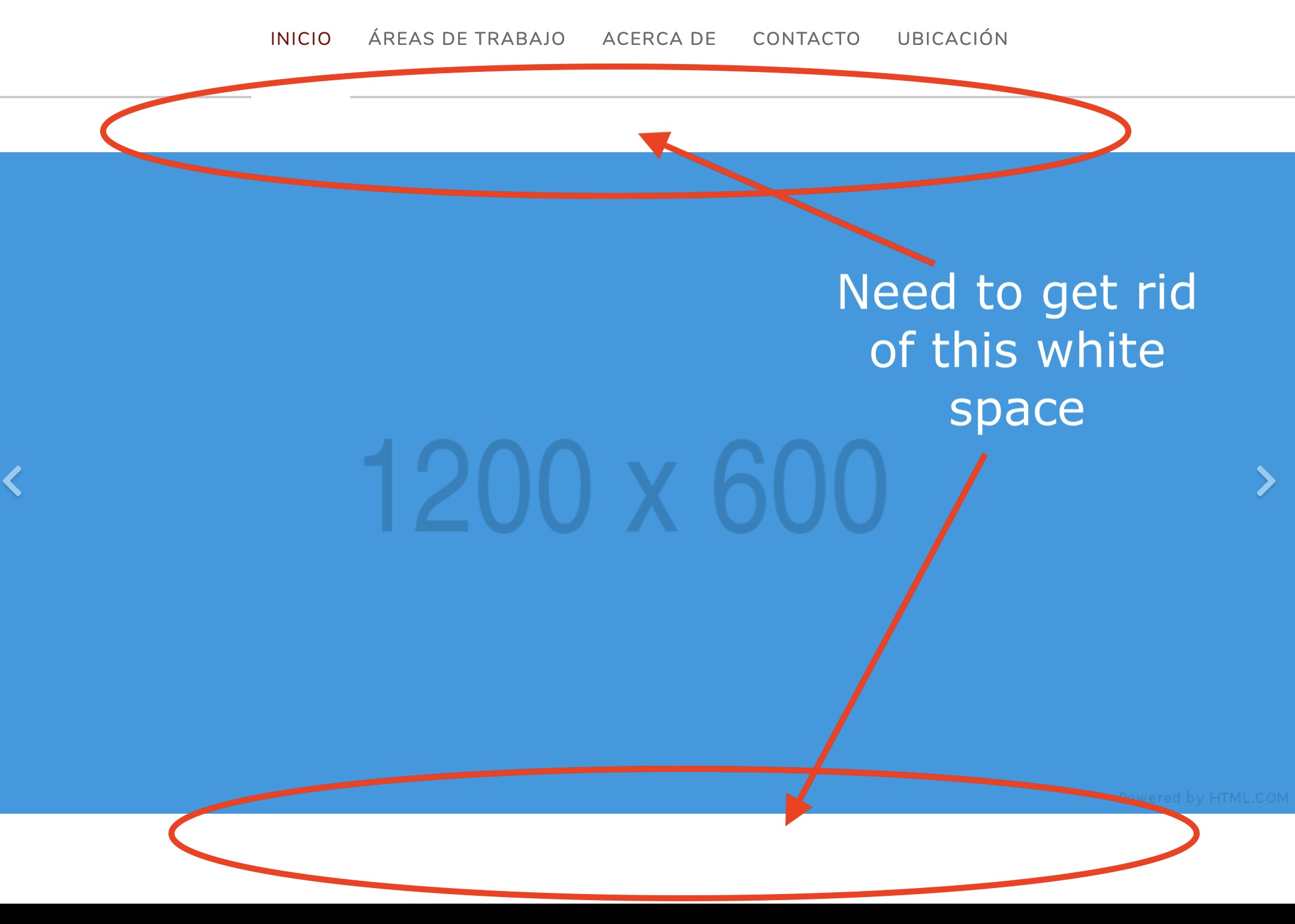
  1. I need to get rid of the “white-space” above and below the slider… I was told I needed to change the padding for that section but I just cannot find how to do that. Please see attached:
  2. I need to change the color of the “line” under the menu items once they get “hovered” Can you please help? See attached:

Thanks for all the help! I’m providing the credentials for the admin on a private note. Best regards.

Hello @Jacko_Pinto,

Thanks for writing in!

1.) You added the slider in the section. Please be advised that every time you add a new section, there is a default top and bottom padding of 45 pixels. Please make sure that you set the top and bottom padding to 0 to get rid of the spacing above and below the slider.

2.) The line is the border of the navbar. It was added witha custom css. You can change the color by updating the code:

.x-navbar {
    border-bottom: 2px solid red !important;
}

I used red in the code so that you can easily see the changes when you apply it. Feel free to change the color.

Thank you very much Rue.

So the slider doesn’t have to be inside a section? Can I add it on its own?

I went to the section and padding is already set 0 :frowning:

What am I doing wrong? Thanks!

Hello @Jacko_Pinto,

You only set the margin to 0. You did not set the padding because it is not showing in your Element inspector panel. This is because it is part of the Advanced Mode which you need to enable first. You can do that in X > Settings > Permissions > User Preferences > Advanced Mode and set it to “Always ON”.

I went ahead and have fix the issue already. The padding of the section settings is now set to 0.

Please check your site now.

Got it. Thank you very much! Didn’t know I had to enable that first.

Best regards!

We are happy to help,

Cheers!

This topic was automatically closed 10 days after the last reply. New replies are no longer allowed.